A LinkedIn mention on a feature grid is not enough. We kept only platforms whose current first-party material documents a real workflow across both LinkedIn and email. We also spell out whether the social step is automated, drafted, or seller-completed.
Quick verdict
Reply.io Jason has the clearest combination of AI-SDR autonomy, multichannel execution, and an explicit approval surface. AiSDR is the most direct alternative for teams that want email, LinkedIn, signals, and reply handling in one managed AI-SDR offer. Regie.ai is stronger when social outreach should remain visible as seller work, while Outreach fits enterprises that need agent governance inside an established sales-engagement platform.
Autonomous multichannelReply.io Jason
Signal-led AI SDRAiSDR
Agent + seller workflowRegie.ai
Enterprise governanceOutreach Revenue Agent
What we mean by “LinkedIn + email”
A qualifying product must document both channels in the prospecting workflow. That can mean automated email plus seller-completed LinkedIn tasks, or agent-managed actions across both channels. It does not mean “uses LinkedIn data to personalize an email.”
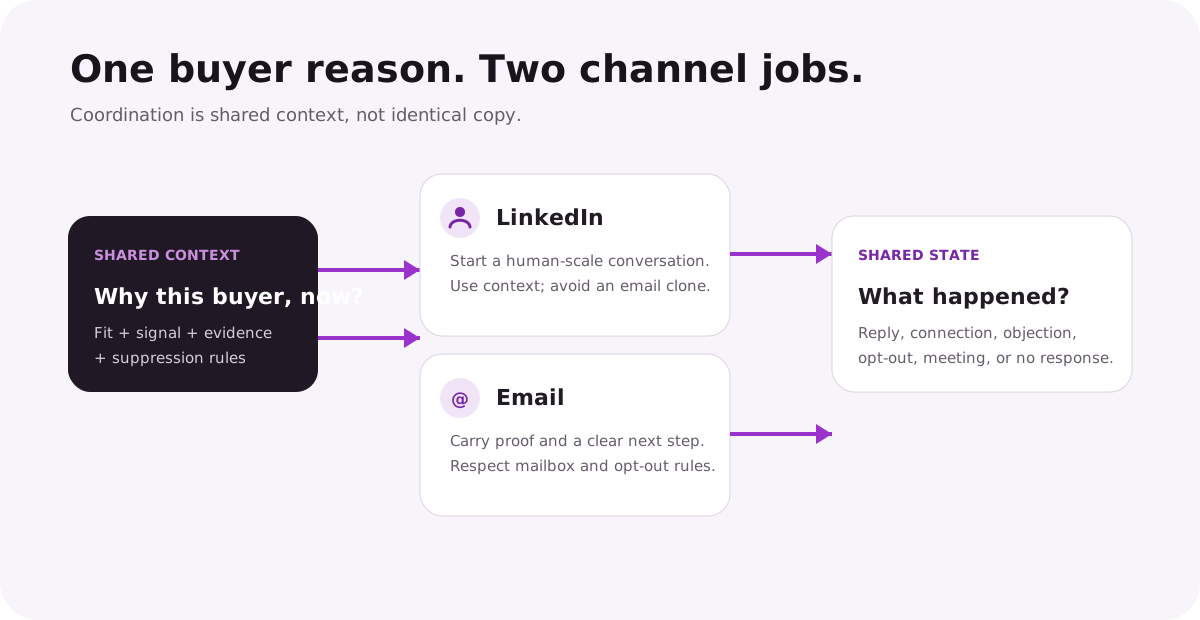
ResearchBuyer and account context
ReasonOne credible why-now
LinkedInConversation opener
EmailProof and next step
Shared stateReply, opt-out, meeting
The channels should share context, suppression rules, and conversation state. They should not share identical copy. LinkedIn is a person-to-person environment tied to a real account identity; email has different permissions, deliverability constraints, and room for evidence.
How we compared the tools
We reviewed official product pages, help centers, changelogs, API documentation, and public pricing pages on Aug. 20, 2026. The shortlist requires first-party evidence for email and LinkedIn, plus a material AI or agentic role in research, decisioning, personalization, execution, or reply handling.
Channel mode matters: automated action, generated draft, and manual task are reported separately.
Autonomy is not a score: more autonomy is useful only when the team can inspect and control it.
No hands-on claim: the screenshots are vendor website captures, not proof that we ran campaigns.
No vendor performance claims: case-study reply rates are not portable benchmarks.
Publisher conflict: Overloop and YourMax.ai are operated by Sortlist SA. Neither appears in the independent ItemList. We explain their adjacent roles after the ranked products.
A credible multichannel system shares context and outcomes while giving each channel a distinct job.
AI SDR tools for LinkedIn and email compared
Tool
Email model
LinkedIn model
Human control
Best fit
Reply.io Jason
AI-personalized sequences and autopilot
Connection, InMail, messages, tasks, and inbox APIs documented
Copilot/autopilot plus approval queue
Cross-channel AI SDR
AiSDR
AI research, writing, sending, and replies
Connection requests, DMs, InMail, and multimedia documented
Autopilot or copilot configuration
Managed signal-led AI SDR
Regie.ai
Sequences, AI messaging, and mailbox options
AI socializer and rep social tasks
Visible rep task workflow
Agent + rep prospecting
Outreach
Revenue Agent engagement and AI personalization
Personalization Agent drafts LinkedIn content
AI Control Hub, profiles, semi/full automation
Enterprise governance
1. Reply.io Jason
Autonomous multichannel AI SDR
Jason is the cleanest category fit because Reply documents the entire loop and the channel mechanics. The product can learn an offer and playbook, source and enrich prospects, generate a sequence, send email and LinkedIn touches, read conversations, classify intent, and pursue a meeting. Reply's newer agent API also exposes knowledge bases, playbooks, autopilot sequences, and an approval queue.
The practical advantage is choice: teams can keep Jason in copilot mode or delegate more through autopilot. The risk is assuming every LinkedIn action behaves like email. Reply documents connection requests, InMail, messages, voice messages, manual tasks, account connections, and action limits as distinct platform surfaces. Ask the vendor to show exactly which surface the proposed workflow uses.
Best forTeams that want one AI SDR to coordinate email and LinkedIn.
LinkedIn proofSequence, action, task, inbox, and account APIs are publicly documented.
Control modelCopilot, autopilot, and approval-queue workflows.
Watchout: parts of the agent API are labelled beta. Confirm production availability, account safety limits, and how positive, negative, and ambiguous replies are routed.
Reply.io public homepage capture presenting its sales AI platform. This is not an authenticated Jason workflow or independent campaign test.
AiSDR documents a full-cycle agent across prospect research, signal monitoring, email, LinkedIn, calls, reply handling, and meeting booking. Its LinkedIn surface is unusually specific in the public material: connection requests, direct messages, InMail, voice notes, and LinkedIn-only or mixed sequences are described rather than hidden behind a generic “social” label.
The platform is a good fit when a team wants the vendor to package data, sending infrastructure, campaign setup, and agent operation together. Autopilot is not the only option; the pricing page also describes a copilot mode. That matters for a new deployment because brand and targeting corrections are easier to learn before the agent is allowed to handle every reply.
Best forTeams wanting a managed AI SDR across email and LinkedIn.
LinkedIn proofConnection requests, DMs, InMail, and multimedia steps documented.
Control modelAutopilot or copilot, depending on configuration.
Watchout: LinkedIn automation is tied to a real account and platform constraints. Ask who owns account setup, daily limits, pause rules, reply escalation, and recovery if access is restricted.
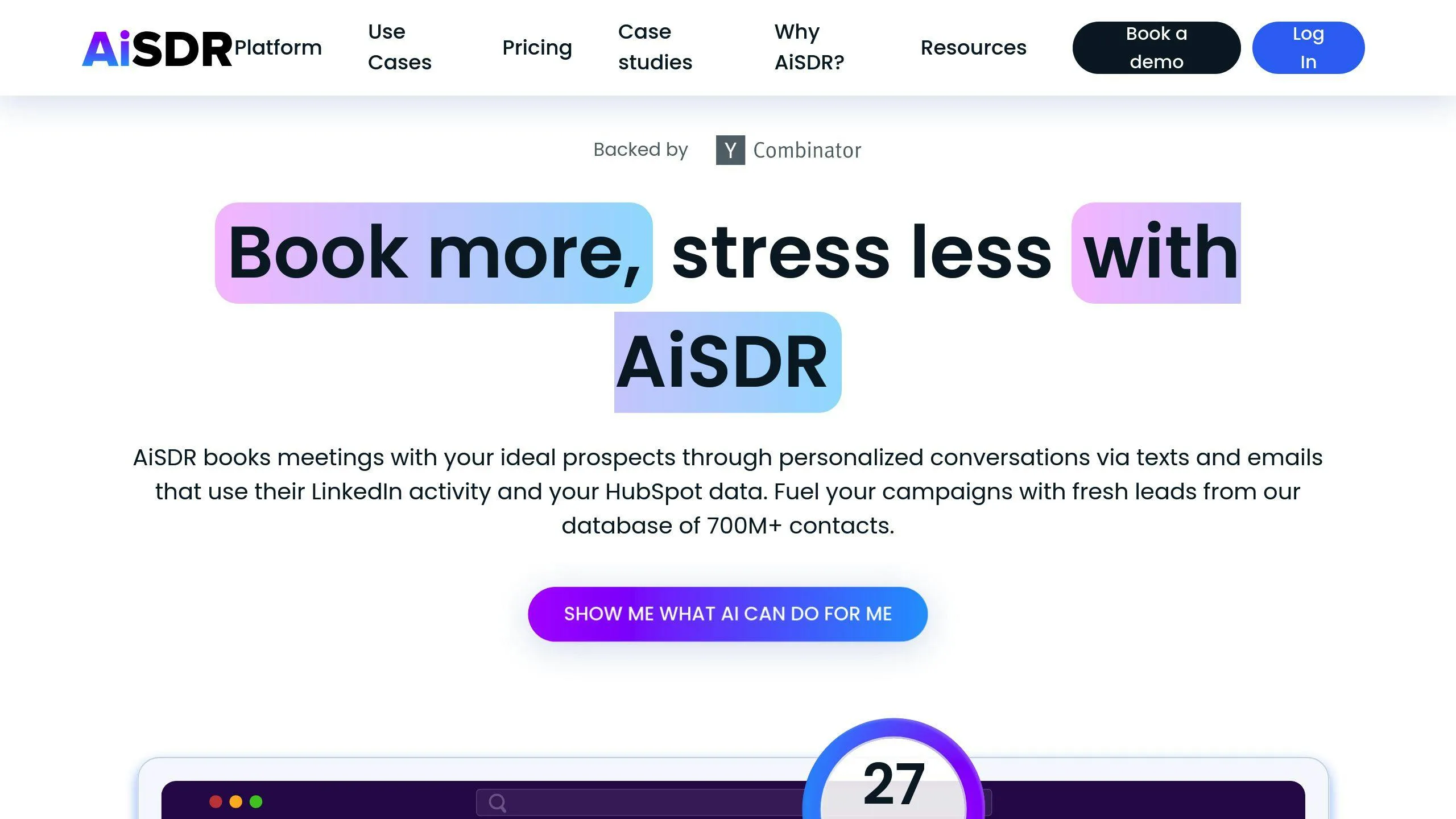
AiSDR public website capture showing the vendor's positioning. This is not a logged-in interface or evidence of campaign performance.
Agentic prospecting with seller-controlled LinkedIn
RegieGO sources and enriches prospects, researches why-now signals, drafts email in the seller’s voice, prepares calls, and keeps follow-up work in one queue. Its current documentation treats LinkedIn differently from email: LinkedIn touches arrive as tasks the seller sends rather than automated messages impersonating the rep.
That is a legitimate multichannel design for teams prioritizing control over headline autonomy. The current self-serve offer starts with 250 one-time credits on Free; Pro is $49 per month with 5,000 monthly credits. This replaces the older enterprise packaging described by stale pages and screenshots.
Best forReps wanting agent-prepared email, phone, and LinkedIn work in one queue.
LinkedIn proofLinkedIn touches are documented as seller-sent tasks.
Control modelAgents prepare work; the seller retains identity-bound actions.
Watchout: confirm which email actions require approval, how credit usage is calculated, and that LinkedIn remains task-based in the proposed plan and region.
Outreach is not a standalone digital worker in the same mold as Jason or AiSDR. It is an enterprise sales-engagement platform adding research, personalization, revenue, deal, and meeting agents to an existing governed workflow. The Revenue Agent can source, enrich, and engage prospects with fully automated or semi-automated configurations.
For this query, the strongest evidence is Outreach's Personalization Agent documentation: it explicitly covers email, call, and LinkedIn content. The AI Control Hub gives administrators an org-wide place to allow or disable agents and restrict features. That makes Outreach a credible fit when permissions, roles, auditability, and seller review matter more than deploying a separate autonomous SDR persona.
Best forEnterprises already standardizing prospecting in Outreach.
LinkedIn proofAI-generated LinkedIn content is explicitly documented.
Control modelAdmin control hub, profiles, and semi/full automation options.
Watchout: generating LinkedIn content does not automatically mean sending it. Ask for a step-by-step demo of the social action, seller review, completion record, and sequence state.
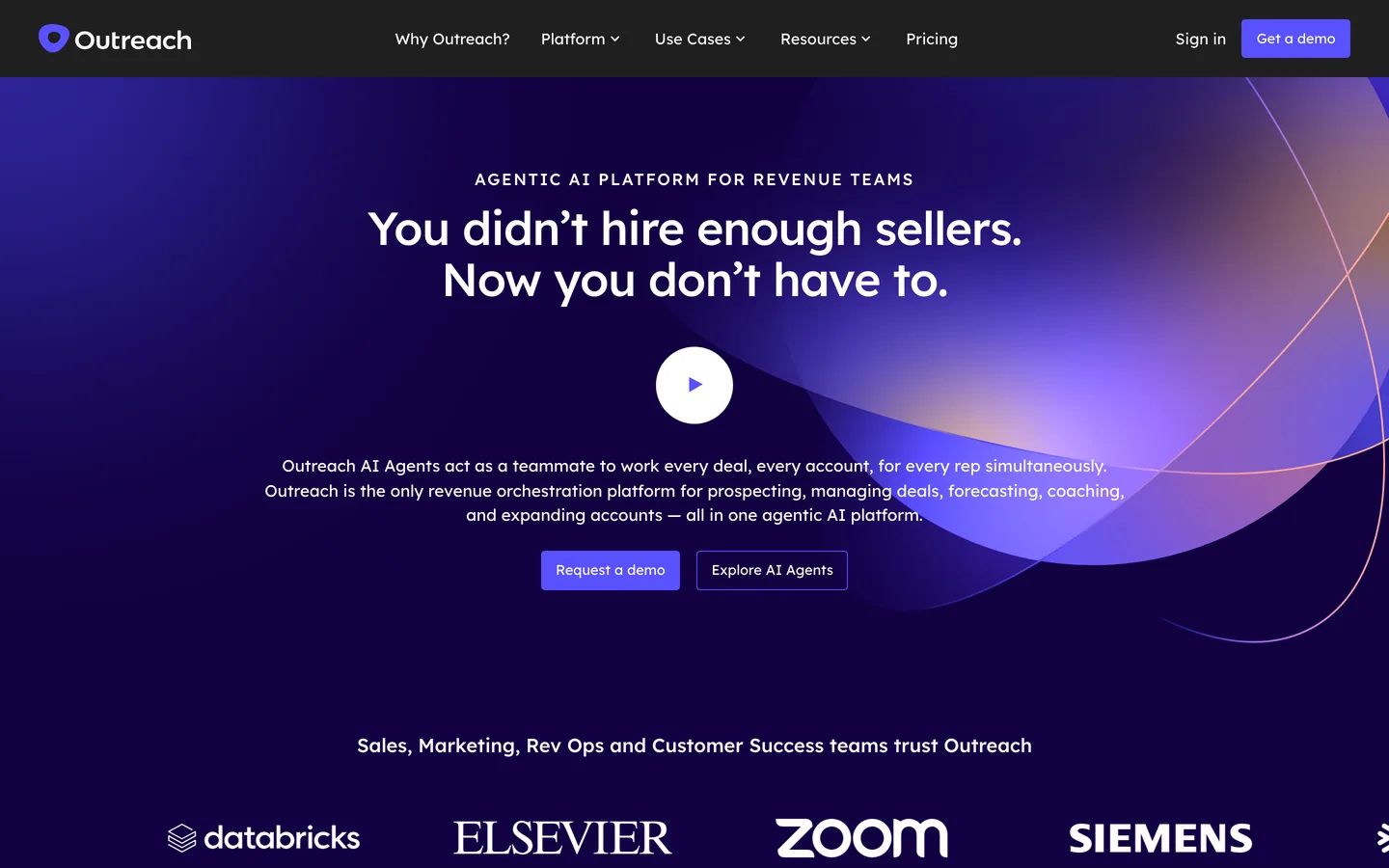
Outreach public website capture showing platform positioning. This is not an authenticated Revenue Agent or LinkedIn workflow.
Why this list is shorter than most AI SDR roundups
We excluded products whose current official material did not clearly document both email and LinkedIn execution for this specific query. A platform can still be a legitimate AI SDR while remaining email-first. It simply should not be ranked as a LinkedIn-and-email answer without evidence.
We also excluded general sales-engagement tools that add AI copy but do not describe a material agentic prospecting job. Apollo and Salesloft can be useful multichannel systems, and both document AI assistance, but their role is better evaluated in a broader sales-engagement comparison. Artisan Ava and 11x Alice remain relevant autonomous-SDR candidates; the official sources reviewed here were clearer about their email-led motion than a current, precise LinkedIn workflow.
This boundary can change. If a vendor publishes new documentation, the page should be re-evaluated, rather than silently patched with a marketing claim.
Where YourMax.ai and Overloop fit
These related products can sit before or after an AI SDR, but neither is itself ranked as one.
YourMax.ai
Max monitors supported public signals, checks potential leads against an ICP, enriches matches, keeps source evidence attached, and lets a person accept or reject the lead.
Boundary: it does not send email or LinkedIn messages and is not a full-stack AI SDR.
Overloop provides prospect data, email and LinkedIn sequences, and AI-assisted campaign workflows for teams that want to own the targeting, campaign logic, and conversation.
Boundary: it is an execution platform, not an autonomous AI SDR persona.
Overloop's AI SDR software page details what the software assists with, what stays human, and the campaign controls to verify in a trial.
Demand a channel-level demo. Watch the system create, approve, send or queue, record, and stop one LinkedIn action and one email action.
Use one shared test set. Include prospects who replied on another channel, are already customers, opted out, changed roles, or should never receive an automated connection request.
Separate copy quality from channel safety. A good draft can still be the wrong action, timing, or account.
Inspect conversation state. A LinkedIn reply should suppress the next email when appropriate, and an email opt-out should affect the wider workflow.
Start with approval. Review account selection, why-now reason, first touch, and sensitive replies before delegating more.
The best product is the one whose control model matches your risk tolerance. A founder may prefer to approve every first touch. An enterprise may allow automated email to a low-risk segment while keeping LinkedIn and objection handling seller-owned.
It is a prospecting agent or agentic platform that coordinates research, messaging, and actions across both email and LinkedIn rather than treating the channels as separate campaigns.
Which AI SDR is best for LinkedIn and email?
Reply.io Jason and AiSDR document the clearest autonomous cross-channel offers in this shortlist. Regie.ai and Outreach are stronger when a company wants agents inside a rep-led, governed sales-engagement workflow.
Does multichannel mean LinkedIn messages are fully automated?
No. Depending on the product and configuration, LinkedIn may be an automated action, a drafted message, or a task the seller completes. Buyers should verify the exact action and account limits.
Why are some well-known AI SDRs missing?
This shortlist requires current first-party documentation for both LinkedIn and email. Email-first autonomous SDRs without clear LinkedIn execution documentation are not ranked for this specific query.
Are Overloop and YourMax.ai AI SDRs?
No. Overloop is an AI-assisted outbound execution platform, while YourMax.ai is a signal-led lead-sourcing layer. They are related products and are described outside the ranking.
Publisher note
Related-party disclosure: Max and Overloop are distinct products operated by Sortlist SA. We keep both outside the independent ranking, link to current first-party sources, and distinguish vendor documentation from our interpretation. LinkedIn features and commercial terms can change; verify the exact workflow before purchase.


 Reply.io Jason
 AiSDR
AiSDR Regie.ai
 Outreach
 YourMax.ai
 Overloop