


Overloop's Email Finder combines prospect search with an email-checking workflow and free credits to test. The 5-step workflow below shows how to upload a LinkedIn list, enrich domains in bulk, review deliverability signals, and push contacts into a sequence. Check current privacy documentation, processing regions, and safeguards for your use case.
Sourcing B2B email addresses for free can make a big difference for busy sales professionals and teams looking to grow their pipeline without increasing costs. Many effective methods can help you reach the right contacts quickly and at no charge.
Key Methods for Free B2B Email Discovery
The most reliable zero-cost approaches include: [CNIL]
- Email Finding Platforms: Tools like Overloop offer free options for locating possible business email addresses from available contact coverage. Run each result through a separate verification workflow before sending; status can vary by address.
- LinkedIn Prospecting: Review public profiles, company pages, and use networking features to identify decision-makers and infer possible email formats.
- Email Lookup Tools and Extensions: Several free browser extensions and search tools analyze public data and suggest likely address combinations for company domains.
- Manual Guessing with Data Validation: Try common email patterns using information from company websites, then validate those guesses using free email verification services.
These solutions let you scale your B2B outreach without upfront costs. Leveraging a dedicated tool like Overloop can reduce manual work by searching broad raw contact coverage, while also giving the option to automate discovery and outbound sequences further if needed. Returned email addresses should pass through a separate verification workflow before outreach, and results can vary by address.
Understanding the Importance of B2B Email Prospecting
B2B sales teams invest significant effort in reaching decision-makers and influencers within target organizations. Success depends on connecting with the right people through established channels. Email prospecting stands out as a direct, scalable, and measurable method for outreach. Accurate prospecting ensures that outbound campaigns reach qualified leads who are likely to engage and convert. [HBR]
The Impact of Email Accuracy on Sales Performance
Each incorrect or outdated email can result in wasted effort, reduced sender reputation, and low response rates. Effective prospecting strategies lead to better pipeline health by directly affecting several core KPIs:
- Open Rates: Verified emails are more likely to enter inboxes, raising the chances that prospects actually see your message.
- Response Rates: Contacting relevant stakeholders with accurate data increases positive replies.
- Conversion Rates: Accurate emails target decision-makers, raising the likelihood that opportunities move through the sales funnel.
Deliverability plays a crucial role as well. High bounce rates linked to poor email quality trigger spam filters, reducing campaign effectiveness and potentially blocking future messages for your domain according to resources such as HubSpot.
Quality Over Quantity: Building Relationships at Scale
B2B sales thrive on personalization and relevance. With better targeting, emails can include relevant information tailored to each prospect's role, pain points, or industry context. This increases the odds of engagement while building brand credibility. Smart prospecting also saves time for sales teams, allowing them to focus on high-potential accounts instead of chasing leads with little chance of payoff.
Tools That Improve Prospecting Efficiency
Manual searching and unverified lists often introduce human error and unnecessary labor. Automating this process using reliable platforms not only improves data quality but also saves valuable sales hours. Solutions like Overloop help sales teams source candidate records from broad B2B datasets, then validate email addresses and currentness independently before outreach.
Accurate B2B email prospecting remains one of the most effective strategies for sales engagement and long-term business growth. By prioritizing up-to-date and targeted prospect lists, teams improve campaign results and spend more time connecting with real buyers.
Start With Overloop: Your All-in-One Free Email Finder
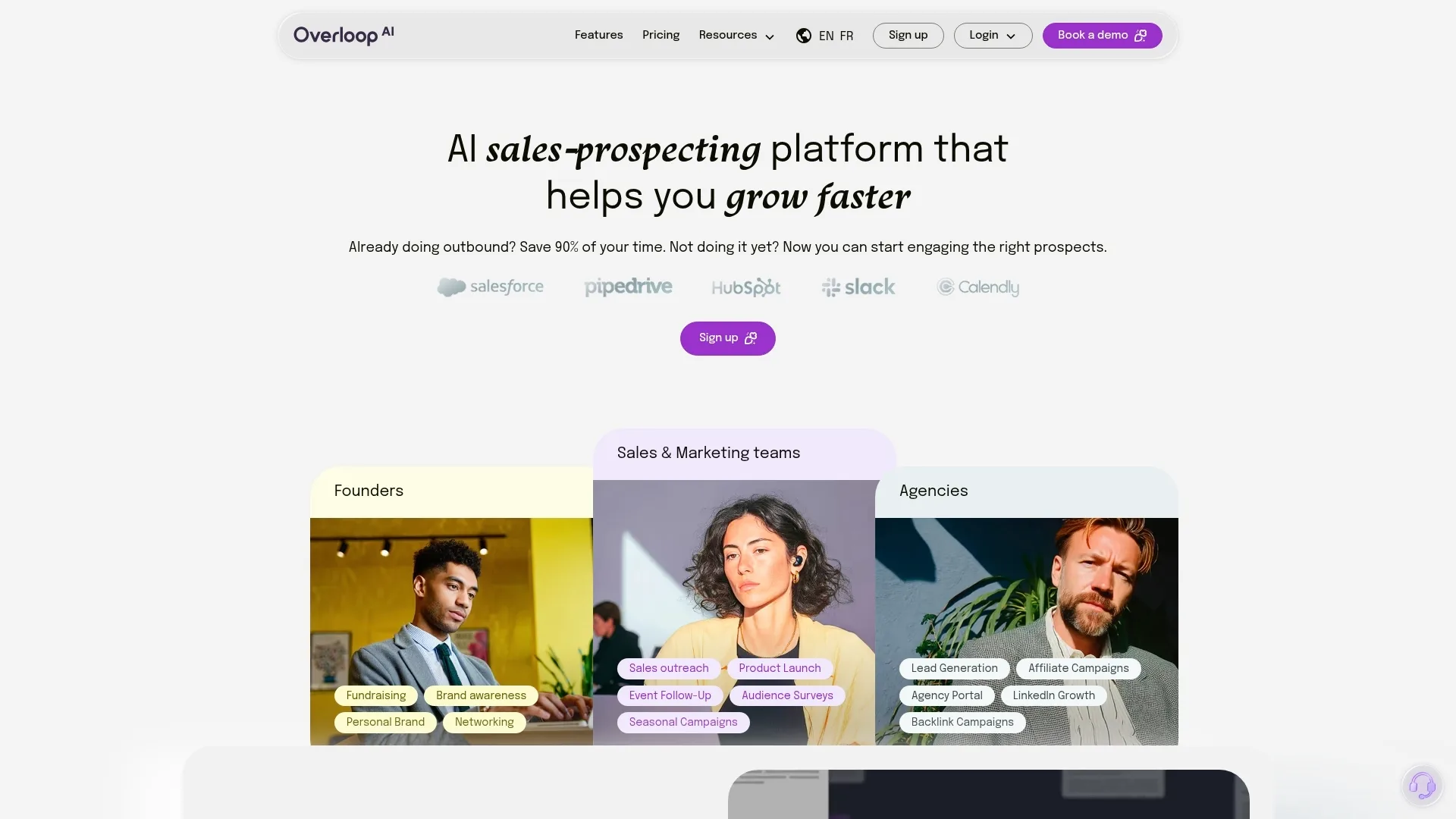
Overloop streamlines the process of finding B2B email addresses for free by combining a substantial database, AI-driven algorithms, and user-friendly search capabilities. It enables professionals to discover and verify business emails quickly, whether focusing efforts on a specific company or building outreach lists across an industry segment.
How Overloop’s Email Finder Works
At the core, Overloop’s email finder relies on a blend of AI and verified public business data. The platform analyzes company websites, social profiles, and open data sources to pinpoint active professional email addresses in just a few steps. This method reduces manual work and increases the probability of accuracy compared to guessing formats or scraping raw lists.
Step-by-Step: Using Overloop to Find B2B Emails
- Create or Access Your Account: Sign up on Overloop or log in if you already have an account.
- Set Search Criteria: Enter basic prospect details, such as the company domain, full name, or job title. This helps the system target the right records.
- Start the Search: Click to initiate the search. Overloop’s engine processes the data and returns validated business email addresses best matching your criteria.
- Verify Results: Check the email addresses provided, which Overloop scores for deliverability and often tells you if the address is risky or safe to use.
- Export or Add to Campaigns: With results verified, you can either download the data or use it directly in Overloop’s outbound automation tools for seamless campaign integration.
Best Practices for Successful Email Prospecting
- Always double-check the accuracy of your input data to get the best possible match from the search.
- Use filters like job titles or industries to specify your search and improve relevance.
- If you plan to conduct bulk searches, prepare a clean CSV file structured with required fields (e.g., full name, company, domain).
- Respect data privacy and ensure contacts found align with your targeting goals.
Overloop’s approach supports faster list building and more efficient prospecting by minimizing the chance of errors or bounced emails. For those managing larger teams or frequent outreach, integration options allow contacts to move seamlessly into your workflow, saving even more time.
Leverage LinkedIn for Targeted B2B Emails
LinkedIn gives sales teams a direct view of decision-makers and potential leads within targeted industries. Since most professionals maintain updated profiles, LinkedIn acts as a searchable directory of prospects, making it suitable for B2B email discovery, even without premium subscriptions. [LinkedIn]
Identifying Relevant Prospects
Start by defining the type of contact you need. Use LinkedIn's search bar with job titles, company names, locations, and industries. Advanced filters in LinkedIn search help narrow your prospects.
- Target decision-makers such as founders, C-level executives, or heads of relevant departments.
- Refine results using available filters like current company, past company, and company size.
- Save time by creating shortlists from company pages, noting names, positions, and sometimes partial email information from the profile’s contact info section.
Uncovering Email Addresses from LinkedIn Data
Most LinkedIn users avoid posting their email addresses in profiles to reduce spam. For a deeper walkthrough on how to get emails from a LinkedIn profile, we break it down in detail. However, you can uncover many verified business emails using these steps:
- Review "Contact Info": Some professionals list their business emails directly in their profile’s contact details. Always check before searching further.
- Identify Patterns: Visit company websites for press releases, team pages, or news articles where email addresses are publicly available. This often reveals the company’s preferred email format, for example, firstname.lastname@company.com or firstinitiallastname@company.com.
- Apply Patterns: Combine names and domains from LinkedIn with the identified company format to create a likely address for the prospect.
- Validate Your Guesses: Before you reach out, confirm the accuracy of email addresses with a free validation tool, as described in a later section.
When dealing with higher volumes or needing to automate this process, platforms like Overloop use verified business data to speed up LinkedIn-based sourcing. Overloop integrates data from LinkedIn to connect names and roles to valid corporate emails. This approach removes manual guessing and can export complete lists for campaigns.
Ethical and Efficient Outreach
Always respect privacy settings and compliance considerations when using information sourced from LinkedIn. View only public data and avoid scraping or unapproved automation tools that violate LinkedIn policies. Focusing on relevant, personalized outreach leads to better engagement and maintains your sender reputation for future efforts.
Utilize Free Email Lookup Tools and Strategies
Beyond using a dedicated platform, you can expand your search for free B2B emails with a blend of online tools, browser extensions, and direct search tactics. Choosing the right approach depends on your target industry, team capacity, and existing sales workflows. Below are practical strategies widely used to uncover accurate professional contacts while maintaining compliance standards.
Popular Free Email Lookup Tools
Many free services help identify or confirm business email formats. These tools tap into public web data or match detected patterns from company domains. For quick results, try the following:
- Hunter: Find the most common email patterns used by companies by searching a business domain. Free users get limited searches per month.
- Snov.io Email Finder: Offers a browser extension and free searches that can identify emails on company websites or LinkedIn profiles.
- Voila Norbert: Allows a small number of name and company domain lookups with its free plan. Results include confidence scores to indicate reliability.
- Clearbit Connect: A Gmail and Outlook add-in that displays contact emails linked to LinkedIn or company websites while you compose messages.
These free versions have usage limits but work well for low-volume prospecting or for verifying patterns in parallel with larger dataset reviews from automated platforms.
Using Browser Extensions for Email Discovery
Browser extensions can enhance research speed while viewing company pages or LinkedIn profiles. These extensions scan page content and cross-reference detected details with their databases to suggest valid corporate emails. Common options include Hunter’s Chrome extension, Snov.io’s browser tool, and SignalHire Extension for LinkedIn. Always validate suggested details to keep your outreach list clean and up to date.
Need to find a prospect's email right now?
Overloop's Email Finder searches raw 450M-contact coverage, then routes selected addresses through a separate SMTP-based verification workflow. Results can vary by address.
Try free →Book a demoManual Research and Email Pattern Guessing
Some situations demand direct research, especially for niche sectors or small teams. You can try combining sources and logic for manual email guessing:
- Check "About Us" and team pages on company websites for listed staff or contact information.
- Review press releases, PDF brochures, or investor relations documents, which often display email patterns or direct employee addresses.
- Use LinkedIn to confirm spelling of full names and match job titles, cross-referencing with observed domain patterns (e.g., first.last@company.com).
Once you collect probable emails, run them through a verification tool such as Overloop, Hunter, or ZeroBounce to reduce bounce rates and protect your sender reputation.
Maintaining Compliance and Accuracy
Never collect or process email data without a clear purpose tied to business prospecting. Aim to document your sources and respect all privacy or consent regulations applicable in your target regions. Regularly remove outdated or incorrect contacts to keep your approach responsible and effective.
Verify and Validate Collected Email Addresses
Collecting a large set of email addresses is only useful if those contacts can actually receive your messages. Sending to invalid or outdated emails damages sender reputation, increases your bounce rate, and reduces engagement. Verifying and validating each address helps protect your outreach and keeps your contact data reliable for future campaigns.
Why Verification Matters in B2B Email Prospecting
Every undeliverable email lowers campaign effectiveness. High bounce rates signal spam filters, impacts inbox placement, and could restrict future sending capabilities. Running regular checks keeps lists clean so your efforts focus on real prospects, not outdated data or spam traps.
How to Verify and Validate Emails Effectively
- Syntactic Checks: Ensure each email matches proper formatting, such as username@domain.tld, with no extra spaces or typos.
- Domain Authentication: Confirm the domain is active and able to receive mail by checking DNS records. Tools like MXToolbox provide instant feedback.
- Mailbox Verification: Use online verifiers to test if the mailbox exists and can accept new messages. Services like Hunter or ZeroBounce offer basic free allowances that report if an address is deliverable, risky, or invalid.
Automated Validation With Overloop
Manual validation becomes unmanageable as volume grows. With Overloop, email addresses sourced through the platform are scored for deliverability in real time, indicating which are safe to use and which to avoid. This extra layer helps users prevent bounces automatically and refine their prospect lists without extra overhead. Bulk upload options include built-in validation, so uploading new leads does not require manual rechecking.
Ongoing List Hygiene Practices
- Remove bounced or undelivered addresses after each campaign to avoid repeated issues.
- Flag and clear role-based emails (such as info@ or sales@) if possible, as these often do not reach individual decision-makers.
- Periodically re-validate older lists to catch changes in employment or abandoned domains.
Maintaining a validated database supports high sender reputation, improves campaign conversion, and protects your main domain from risky engagements. Making validation a habit, or automating it whenever possible, keeps your outreach predictable and effective.
Best Practices and Tips for Responsible Email Prospecting
As you collect and use B2B email addresses, it is essential to balance efficiency with compliance and respect for privacy. Responsible email prospecting protects your business reputation and helps sustain long-term results in your outbound strategy. Adhering to privacy standards and ethical practices assures prospects that you manage their data properly, making them more likely to respond positively.
Stay Within Legal Frameworks
Successful email prospecting requires understanding and following the laws that govern data use. The General Data Protection Regulation (GDPR) affects anyone handling the data of individuals in the European Union. The law requires sales teams to justify why they collect and use personal data. Under GDPR, storing or using B2B emails for outreach falls under “legitimate interest” if the message is work-related and relevant to the recipient's professional activity. Read more about GDPR compliance here.
- Only collect emails that relate to a person's business role, not for private use.
- Document your source for each contact when possible, noting where and how the information was found.
- Offer a clear opt-out link in every email. This gives prospects an immediate way to decline future communications, which both GDPR and laws like the CAN-SPAM Act require.
- Store addresses securely and only share them with authorized team members. Regularly review your contact lists to remove bounced or opt-out requests.
Respect Privacy and Research Boundaries
Prospects expect outreach to be relevant and not intrusive. Avoid scraping emails from sensitive places or using methods that violate the terms of service of sites like LinkedIn. Limit searches to public or business directories and official company websites. Never use personal email addresses for B2B communications. Segment your outreach by using information like job title and industry to ensure that you only contact professionals for legitimate opportunities.
Commit to Quality, Not Quantity
- Personalize every message using professional details to show respect for the prospect’s role and time.
- Use tools, such as Overloop, to screen out high-risk or fake email addresses before sending your message.
- Maintain an updated internal policy on responsible email prospecting. Share these guidelines with your team and update them as privacy regulations change.
Responsible prospecting relies on ethical technology use and ongoing education about regulations. These steps help teams build trust and protect sender reputation for all future outreach.
Overcoming Challenges: What to Do When You Hit a Roadblock
No matter how well you prepare, searching for B2B email addresses can become challenging. Common issues include incomplete data, unusual email formats, company domains without discoverable emails, or restrictions in email lookup tool quotas. Addressing these problems efficiently helps you avoid wasting time and improves your model for future outreach.
Troubleshooting Common Issues in Email Discovery
- Missing or Inaccurate Names: Double-check the spelling and format of both names and company domains. Company websites, conference speaker lists, and industry association pages can provide correct names or titles that may not appear in basic web searches.
- Invisible Email Patterns: If you cannot find emails by searching for standard formats, look for alternate company conventions (such as initials or middle names). Some organizations use unique email structures, review job postings, event signups, or staff directories for clues.
- Tool Quota Limits: Free plans from most email finders restrict daily or monthly searches. Space out your searches, rotate between several tools (such as Hunter, Snov.io, or Clearbit Connect), or reassess if manual research would be quicker at low volume.
- Data Not Found on Major Platforms: For startups and small companies, social media bios, press releases, or community event posts often contain valuable leads not listed in major databases.
Alternative Methods When Direct Search Fails
- Contact the company through general-purpose addresses (such as info@ or contact@) and ask for the correct person.
- Use LinkedIn InMail to message contacts directly if you cannot source a valid email address externally.
- Review listings in industry directories or alumni databases, which sometimes display validated business emails or direct contacts.
Whenever your manual searches seem to stall, review your target list. Refine it by prioritizing contacts with clearer online profiles or more publicly available details. Overloop offers features to automate parts of this review. It analyzes incomplete prospect records, suggests new contacts in matching roles, and streamlines updates to your list, helping you focus on reachable prospects.
When to Adjust Your Process
If you regularly hit roadblocks with the same segment or domain, reconsider the overall targeting criteria or source data quality. It might be necessary to switch to broader job titles, different companies, or completely new lists. Periodic audits and cleanups ensure you do not spend time chasing unreachable or out-of-date contacts, keeping outreach efficient and compliant.
Stop losing prospects to bad data.
Try Overloop's Email Finder free or book a demo to see it inside a full multichannel sequence.
Start with Overloop →See a demoFrequently Asked Questions About Finding B2B Emails for Free
Do Free Email Finders Deliver Accurate and Up-to-Date Results?
Accuracy in free tools depends on their data sources and update cycles. Email finders that rely on verified business data and active web crawling produce more reliable results than those limited to older or scraped lists. Overloop addresses this by combining AI analysis with regularly refreshed databases, which increases the odds of finding deliverable emails. Manual guessing or relying on unrelated contact databases typically lowers accuracy.
Is It Legal to Use Free Email Finder Tools for Prospecting?
You can use free email finders for business purposes if you have a legitimate reason, such as sales, recruiting, or partnerships. Make sure to follow laws that govern email outreach, like GDPR for EU data and the CAN-SPAM Act for US messages. Always supply clear opt-out links and only use emails where you can show business relevance. Documenting where you sourced an email from supports compliance in case someone requests to be removed.
How Can I Avoid Getting Marked as Spam When Sending Outreach Emails?
Protecting your sender reputation is critical for getting your messages delivered:
What Should I Do if Standard Email Finding Tools Cannot Locate an Address?
When tools cannot find the desired contact, you can broaden your approach:
How Often Should Lists Be Updated to Maintain Email Quality?
Email lists lose value over time as people change jobs or companies switch domains. Scheduled validation, ideally every few months, keeps delivery rates up and bounce rates low. Removing role emails and re-verifying before any campaign ensures the best possible engagement rates. Platforms with automated validation features provide reminders and real-time checks when you upload data, further reducing manual work.
What Are the Risks of Using Personal or Non-Business Emails in B2B Campaigns?
Personal emails introduce compliance risks, cause lower engagement, and may harm your sender reputation. Focus only on business emails that relate to the prospect's role and company. Never reach out to private addresses found through unrelated channels.