


Lead generation for IT services is how managed service providers and IT firms find businesses that need IT support, cloud, or security, then reach the owners and IT decision-makers who can buy. The highest-ROI channels in 2026 are account-based outbound lead generation (email plus LinkedIn), vertical and referral partnerships, and proof-led content. This playbook covers who to target, the channels that work, the tool stack, and the KPIs that matter.
If you sell managed IT, you are asking a business to hand you their uptime, security, and escalation path. That is why lead generation for IT services is a repeatable system for turning a tight ideal customer profile (ICP) into booked conversations with the right stakeholders, using channels that support targeting and follow-up.
Most MSP pipelines stall for one reason: the outreach looks like “we can help,” while the buyer is thinking “switching is risky.” This playbook shows how to narrow your ICP to companies that actually switch, package a low-friction entry offer that feels safe to accept, pick channels that match a longer sales cycle, and run outbound with an execution layer that keeps lists clean, follow-up consistent, and outcomes measurable.
Before you touch tools or sequences, get the definition of “lead” right. In an MSP-style sales cycle, a lead is a contact at a target account who matches your buying criteria and has a reason to talk now, whether that next step is a discovery call, an assessment, or a proposal.
What Counts as a Lead in IT Services (MQL to Opportunity)
Use stage definitions that match how IT services are bought, with risk, switching costs, and multiple stakeholders.
- MQL (Marketing Qualified Lead): A known contact that fits your ICP and engages with marketing, for example a webinar signup from a 200-1,000 employee company in a regulated industry. MQLs need fast follow-up and a clear path to a conversation.
- SQL (Sales Qualified Lead): A contact that fits your ICP and confirms a real business problem you can solve, such as “We failed an audit item” or “Our MSP contract renews in 90 days.” SQLs deserve time from an AE or technical seller.
- Meeting (Booked Discovery Call): A scheduled conversation with the right stakeholder (often IT manager, head of IT, or finance for smaller firms) and a stated reason for the call. Track show rate separately.
- Opportunity: A qualified deal in your CRM with defined scope, stakeholders, timeline, and estimated value, for example a 36-month managed services agreement plus onboarding project.
Keep these definitions consistent in HubSpot, Salesforce, or Pipedrive. Your channel decisions and your KPIs only matter if everyone measures the same “lead.”
How to Pick a Niche and ICP That Actually Buys Managed IT
Those “lead” labels break fast if your targeting is fuzzy. Lead generation for IT services works best when you pick an ICP that has a real operational reason to switch, budget authority, and a clear pain you can measure. Use the worksheet below before you write a single cold email or build a landing page.
- Account-based email + LinkedIn to IT directors and owners
- Referral and vendor partnerships (hardware, ISVs, vertical peers)
- Local SEO and Google Business Profile for managed IT
- Proof-led content: case studies, security checklists, uptime data
ICP Worksheet for Managed IT and MSP Lead Generation
- Industry: Start with 1-2 verticals where downtime has a price tag and compliance is common. Examples: dental groups (HIPAA exposure), law firms (client confidentiality), manufacturing (OT plus IT uptime), logistics (24-7 operations), multi-location retail (many endpoints).
- Employee Count (and Locations): Size drives complexity. Many MSPs win fastest in the 25-250 employee range because the business has enough users, devices, and vendors to feel pain, but often lacks a full internal IT team. Add a location filter if you handle onsite support.
- Tech Stack Clues: Look for environments that signal admin overhead or security gaps. Examples: Microsoft 365 plus Entra ID (Azure AD), Google Workspace, Windows-heavy fleets, cloud file shares, VoIP, and common line-of-business apps. In list building tools like Apollo (prospecting database) or Overloop AI (prospecting plus sequencing), use filters for technologies and job titles to keep the list tight.
- Compliance and Risk Requirements: Write down the frameworks and obligations your buyers already fear. Examples: ISO 27001, SOC 2, PCI DSS, HIPAA, GDPR, NIST CSF. Your messaging should name the exact control area you improve (MFA coverage, patch SLAs, backup testing frequency), not generic “we take security seriously.”
- Trigger Events: Triggers create urgency and shorten sales cycles. Track signals like a new CIO or IT Manager hire, merger or acquisition, opening a new office, moving to Microsoft 365, a ransomware incident in the same industry, cyber insurance renewal, or an audit deadline.
Turn the worksheet into a one-sentence ICP you can enforce in your CRM: “We support industry firms size that run stack and need help compliance, especially after trigger.” If a prospect does not match, do not call it an MQL.
When you hold this line, your outreach reads like it was written for a specific operator, not a random company list. That is the difference between “we can help” and meetings that convert into managed services opportunities.
Why Is Lead Gen for MSPs Different From “Normal” B2B?
Managed services buyers can smell “we can help” outreach from a mile away. lead generation for IT services works differently because the buyer stakes are higher, the switching costs are real, and the decision rarely sits with one person who can say yes on a single call.
In a typical B2B SaaS motion, a department can trial a tool and expand later. An MSP replaces a provider that touches identity, endpoints, email, backups, and incident response. That changes how prospects evaluate you and what they need to hear before they take a meeting.
What Makes MSP Lead Generation Different
- More stakeholders, less “single-threading.” The day-to-day contact might be an IT manager, but finance owns the contract, leadership owns risk, and internal IT or a vCIO has strong opinions. Your messaging needs a clear “why change” for each role, not a generic capabilities list.
- Risk is the product. A bad MSP decision can create downtime, ransomware exposure, audit findings, or reputational damage. Prospects look for proof: documented onboarding, security stack standards (Microsoft 365, Microsoft Defender for Business, SentinelOne, CrowdStrike), and references in their industry.
- Switching costs shape timing. Migration work, user disruption, and tool changes mean many companies wait for renewal windows or a trigger event (breach, failed audit, leadership change, M&A). Your outbound and content should call out these moments directly, because “happy enough” incumbents ignore feature talk.
- Contracts are longer and stickier. MSP agreements often run 12-36 months, with onboarding projects and SLAs. Prospects expect clarity on scope boundaries (what counts as after-hours, what is billable, what is included per user) early in the process.
- Evaluation cycles run longer. Buyers compare proposals, check peer references, and pressure-test response times. That is why channels that support persistent follow-up (email sequences, LinkedIn touches, partner referrals) tend to outperform one-off campaigns.
Practically, this pushes you toward narrower targeting and higher-specificity offers. “We do IT support” is weak. “90-day takeover plan for 150-400 seat law firms on Microsoft 365 with immutable backups and a documented incident response runbook” gives a cautious buyer something concrete to evaluate.
It also changes channel choice. Referrals from accounting firms, cybersecurity consultants, and Microsoft partners convert because they transfer trust. Outbound can still work, but it must read like you understand their environment, renewal timing, and the cost of switching.
How to Build an Offer That Books Calls (Without Discounting)
Trust transfers through referrals and partners, but your offer still has to feel safe to accept. For lead generation for IT services, the fastest way to book calls without discounting monthly retainers is to sell a low-friction “entry offer” that reduces risk, produces evidence, and points to a clear next step.
A good entry offer has two properties: it is tightly scoped (so it feels controllable) and it ends with a decision (so it moves the deal forward). “Free consultation” fails because it has no deliverable and no decision.
- Pick One Pain You Can Prove in 7-14 Days. Choose a problem that maps to money or risk. Examples: MFA gaps in Microsoft 365, backup restore uncertainty, patching SLA drift, admin sprawl in Entra ID, or cyber insurance questionnaire readiness.
- Choose an Entry Format That Fits the Buyer’s Fear. Use an assessment when they want a plan, an audit when they want proof, and a fixed-scope project when they want a quick win. Keep it one motion, not a “phase 1-2-3.”
- Define the Deliverables in Plain English. Spell out what they receive: a risk register, a prioritized remediation backlog, a network diagram, a backup test report, a 12-month security roadmap, or a Microsoft Secure Score baseline and target.
- Attach Metrics You Can Measure. Tie outcomes to numbers: “MFA coverage by user group,” “patch compliance by severity,” “RPO and RTO targets,” “backup restore test pass rate,” “endpoint encryption coverage,” “admin accounts reduced.” Avoid vague “improve security posture.”
- Set a Price That Signals Seriousness. Charge a fixed fee. Many MSPs land well with a paid assessment because it filters tire-kickers and frames you as a professional service, not a commodity. If you credit the fee toward onboarding, state the rule upfront.
- Build the Call-to-Action Around a Decision. End the offer with two paths: “We hand you the plan and you run it” or “We implement and manage it.” That keeps the call from turning into free consulting.
Three Entry Offers That Convert for MSP Lead Generation
- Microsoft 365 Security Baseline (10 business days): baseline Secure Score, review conditional access and MFA, deliver a prioritized remediation plan.
- Backup and Restore Test: validate backup coverage, run a documented restore test, deliver a pass-fail report and fix list.
- 90-Day Stabilization Project: fixed scope for patching, MFA rollout, endpoint encryption, and monitoring setup, ends with a managed services proposal.
Once the offer is specific, your outbound and inbound messaging gets easier. Overloop AI, Apollo, Lemlist, or Cognism can help you reach the right accounts, but the offer is what makes the meeting feel worth taking.
Which Channels Work Best for IT Services in 2026?
A strong offer makes meetings feel worth taking. The next question is where to put that offer so lead generation for IT services produces pipeline, not busywork. For most MSPs in 2026, the best channels share one trait: they let you target specific accounts and follow up over weeks, because switching MSPs carries real risk and timing constraints.
- 1) Outbound email (highest control, fastest iteration): Use outbound when you have a tight ICP and a clear trigger (renewal window, audit deadline, new IT leader). Email wins because you can test messaging weekly, segment by role (IT manager vs finance), and run structured follow-up. Pair it with verification and deliverability discipline. Tools like Overloop AI, Apollo (prospecting database plus sequences), Lemlist (cold email sequencing), and Cognism (B2B data provider) help with list building and execution, but your copy and targeting decide results.
- 2) LinkedIn (best for credibility and multi-threading): LinkedIn works when you need to reach more than one stakeholder at the same account. Use connection requests, short value messages, and lightweight proof like a one-page case study. Keep automation conservative to reduce account risk, and treat LinkedIn as a companion to email, not a replacement.
- 3) Referrals (highest close rate, hardest to “turn on”): Referrals convert because they transfer trust, which matters when the product is uptime and security. Build a simple referral ask into QBRs and project closeouts: “Who else in your peer group runs Microsoft 365 and would value a second opinion on backups or MFA coverage?”
- 4) Partner Co-Marketing (best for consistent warm intros): Target partners who already sit in the budget path: Microsoft partners, cybersecurity consultancies, VoIP providers, business insurance brokers, and accounting firms. Run a quarterly webinar or checklist campaign together, then swap warm introductions for attendees who match your ICP.
- 5) Local SEO (best for inbound in onsite geos): If you sell onsite support, local search can drive steady MQLs. Prioritize a Google Business Profile, location pages by service area, and reviews that mention specific outcomes (response time, takeover, compliance help). Track calls and form fills in Google Analytics 4.
- 6) Webinars (best for regulated verticals and complex offers): Webinars work when the topic is specific and operational, for example “Preparing for a SOC 2 Type II audit on Microsoft 365” or “Ransomware recovery drills for manufacturing.” Promote through partners and outbound invites, then route attendees into a follow-up sequence within 24 hours.
If you need one default mix: start with outbound email plus LinkedIn for predictable volume, layer partners for trust, then invest in local SEO once your positioning and proof are tight.
Outbound Execution Layer: How Overloop AI Fits Into the Process
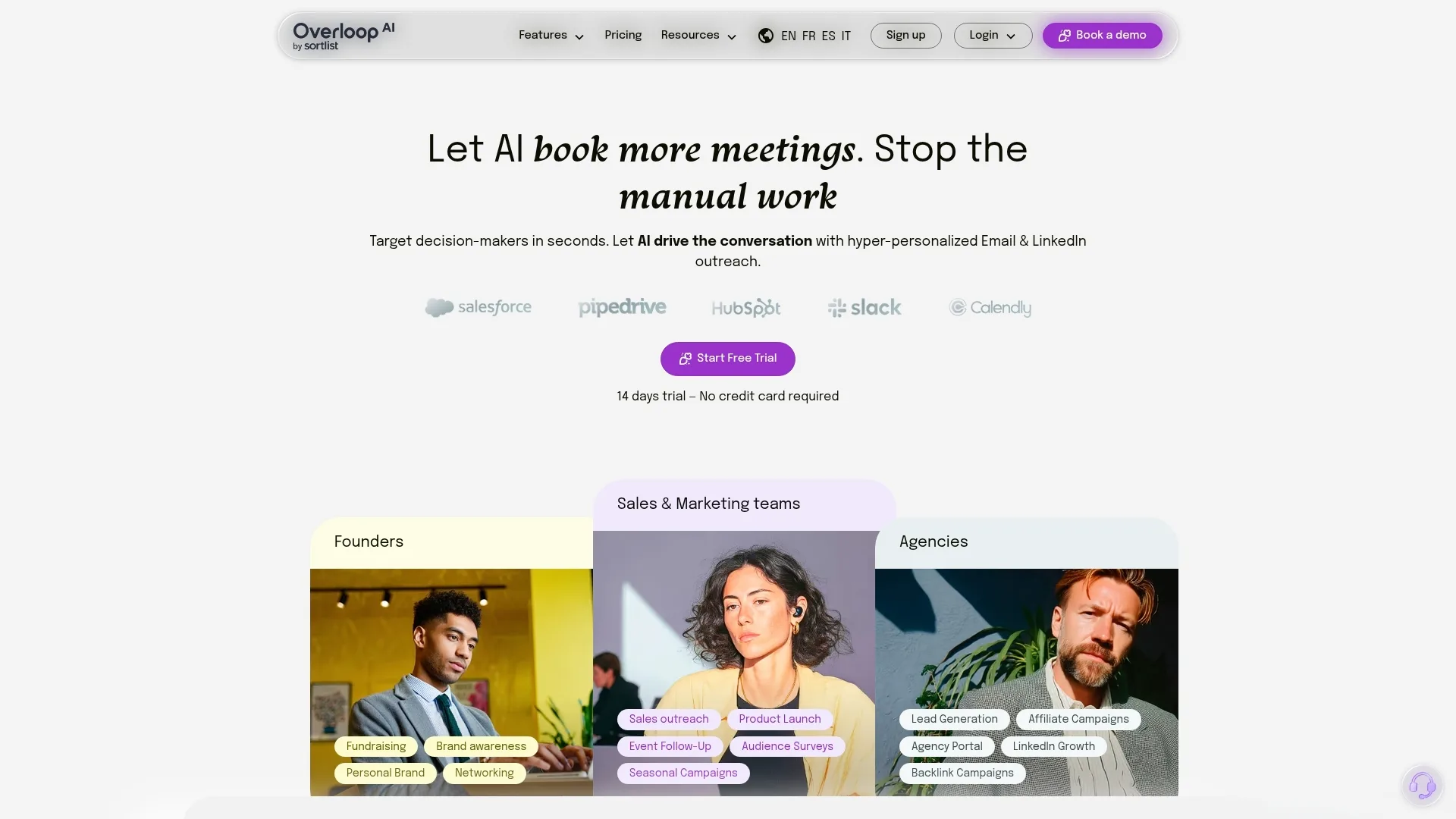
Outbound is the “volume” side of lead generation for IT services, but volume collapses without execution. The execution layer is the system that turns your ICP into verified contacts, runs consistent follow-up across email and LinkedIn, and records outcomes so you can improve targeting and messaging.
Overloop AI sits in that execution layer. It helps you go from “we target 25-250 seat law firms on Microsoft 365” to “we contacted 600 matched accounts this month, booked 18 meetings, and know which message produced the SQLs.”
Where Overloop AI Fits in the Outbound Workflow
- Source the right people at the right accounts. Use ICP filters (industry, headcount, job titles, technologies) to build lists from a 450M+ B2B contacts database, or import accounts from your CRM. For MSP outreach, start with roles like IT Manager, Head of IT, Operations Director, and Finance Controller, then add an executive sponsor.
- Verify emails before you send. Email verification reduces hard bounces, which protects sender reputation. Overloop AI includes verification, and you should still pair it with basic deliverability hygiene (separate sending domains, warm-up where appropriate, and a clean suppression list).
- Write AI-personalized emails in your voice. Overloop AI generates personalized cold emails using public context (company site and LinkedIn signals) and your offer. This is where most MSP teams save time. You still need to supply the substance: the entry offer, proof points, and the “why now” trigger you care about.
- Run multi-channel sequences (email plus LinkedIn). Use a sequence that mixes emails with LinkedIn views, connection requests, and follow-ups. This works well for managed IT because buyers often ignore the first touch, then reply after seeing consistent, relevant messages.
- Track replies and outcomes. Track bounces, replies, and meetings, then push the right events into HubSpot, Salesforce, or Pipedrive so your pipeline math stays honest.
What Overloop AI does not replace: your ICP decisions, your offer, your compliance credibility (SOC 2, ISO 27001, HIPAA, PCI DSS, NIST CSF, when relevant), and human qualification. It also does not fix a weak domain reputation or a generic “we do IT support” pitch.
If you already use Apollo (prospecting database) or Cognism (B2B data provider), treat Overloop AI as the place you execute and iterate: build clean lists, personalize at scale, run email plus LinkedIn sequences, and learn which message actually creates managed services opportunities.
A Realistic 2026 Tool Stack for MSP Lead Generation (Lean to Full-Funnel)
Execution and iteration break when your stack is stitched together with mismatched tools. For lead generation for IT services, you need four categories working together: data (who to contact), execution (how you reach them), system of record (where pipeline lives), and deliverability (whether messages land in inboxes).
Below are three realistic 2026 stacks MSPs use, from lean outbound to full-funnel. Treat Overloop AI as the outbound execution layer, especially if you already source data in Apollo or Cognism.
Three MSP Lead Generation Stacks (By Budget And Maturity)
- Lean Outbound (Solo or Small Team): Overloop AI (B2B database plus email and LinkedIn sequences, email finder, verification, analytics) + Pipedrive (CRM) + Google Calendar or Calendly (scheduling). Add a dedicated sending domain and mailboxes in Google Workspace or Microsoft 365.
- Outbound Plus Data Depth (Growing SDR Motion): Cognism (B2B data provider with strong coverage in many markets) for contacts and mobile numbers + Overloop AI for sequencing and personalization + HubSpot CRM Starter or Salesforce Essentials for pipeline + Calendly. Use Slack for lead alerts and handoffs.
- Full-Funnel (Outbound Plus Inbound And Ops): Apollo (prospecting database plus sequences) or Cognism for data + Overloop AI for multi-channel execution and rapid message testing + HubSpot (Marketing Hub plus Sales Hub) for forms, lifecycle stages, and attribution + Salesforce (if you need complex territory and reporting) + Chili Piper (routing and scheduling) + Google Analytics 4 for web conversion tracking.
If you prefer Lemlist (cold email sequencing) for deliverability controls and templates, pair Lemlist with Cognism or Apollo for data, then push replies and meetings into HubSpot, Salesforce, or Pipedrive. Keep one tool responsible for sequencing to avoid duplicate follow-ups.
Deliverability essentials are non-negotiable. Set up SPF, DKIM, and DMARC on every sending domain. Warm up new mailboxes gradually. Verify emails before you send, whether you use Overloop AI verification or a specialist like ZeroBounce or NeverBounce. Track bounce rate and spam complaints weekly, because one bad list can poison your domain reputation for months.
The 90-Day MSP Pipeline Plan (Weekly Checklist)
Sender reputation takes weeks to build and minutes to wreck. Treat lead generation for IT services like a 90-day operating cadence: small weekly experiments, tight list hygiene, and a clear handoff from outreach to qualification.
Weekly Checklist: 90 Days to a Repeatable MSP Pipeline
- Week 1: Lock ICP and entry offer in writing. Create a target account list of 150-300 companies and 2-4 personas per account (IT, ops, finance, exec sponsor). Set CRM stages (MQL, SQL, meeting, opportunity) and required fields.
- Week 2: Build and clean data. Source contacts in Apollo, Cognism, or Overloop AI. Verify emails (Overloop AI verification, ZeroBounce, or NeverBounce). Create a suppression list from past bounces, unsubscribes, and current customers.
- Week 3: Set deliverability guardrails. Configure SPF, DKIM, DMARC. Add a dedicated sending domain. Create 2 mailboxes per SDR or sender. Write plain-text templates and a simple signature.
- Week 4: Write two message angles and one call-to-action. Example angles: “renewal window takeover plan” vs “Microsoft 365 security baseline.” Create a 10-15 business-day sequence with 5-7 emails plus 2-4 LinkedIn touches.
- Week 5: Launch a controlled test to 200-400 prospects. Segment by persona. Keep daily volume low. Track bounces, spam complaints, positive replies, and meetings by segment.
- Week 6: Fix the obvious. If hard bounces exceed 2%, stop and clean the list. If replies are negative, tighten targeting or rewrite the first two lines. Update personalization rules in Overloop AI (or your writer) so every email references a real detail.
- Week 7: Add multi-threading. Contact a second stakeholder at accounts that did not reply. Use a different reason to care (risk for leadership, cost for finance, workload for IT).
- Week 8: Install fast follow-up. Route “interested” replies to a human within 15 minutes during business hours. Use a calendar link with 2 meeting lengths (15 and 30). Send a 3-question pre-call form (environment, renewal date, top pain).
- Week 9: Tighten qualification. Define SQL rules (budget range, renewal timing, minimum seat count, Microsoft 365 or other stack requirement). Disqualify quickly and tag the reason in the CRM.
- Week 10: Scale volume 20-30% if deliverability holds. Add a second sequence for a second vertical or offer. Keep one variable per test.
- Week 11: Build a reactivation lane. Re-contact “no response” accounts with a new asset (one-page checklist, audit outline, or case study) and a shorter sequence.
- Week 12: Pipeline hygiene week. Close the loop on every meeting outcome (show, no-show, SQL, disqualified). Remove bad segments. Promote the best-performing copy to your default playbook and archive the rest.
This cadence turns outbound email and LinkedIn outreach into a measurable system: you learn which ICP slices reply, which offers create SQLs, and which follow-ups actually produce managed services opportunities.
KPIs That Predict Revenue (Not Vanity Metrics)
A measurable system needs KPIs that tie activity to revenue. For lead generation for IT services, that means tracking each handoff from inbox placement to qualified pipeline, and ignoring “feel good” numbers like total sends or LinkedIn profile views.
Revenue-Predictive KPIs by Stage (With Practical Baselines)
1) Deliverability: Track hard bounce rate, spam complaint rate, and inbox placement (if you test it). Set your baseline from the last 2-4 weeks of sends per domain and mailbox. If hard bounces spike after a new list import, fix data quality and verification before you touch copy.
2) Reply quality: Split replies into buckets you can act on: Positive, Neutral (ask later), Referral, Objection, Unsubscribe, Auto-reply. A 3% reply rate with mostly “not interested” is worse than a 1% reply rate with real meetings. Overloop AI, Apollo, and Lemlist all surface reply categories, but you still need a shared definition in your CRM.
3) Meeting rate: Measure meetings booked per 100 delivered contacts, not per sends. This isolates list quality and deliverability. If you run account-based targeting, also track accounts with at least one meeting, because one account can produce multiple stakeholders.
4) Show rate: Track shows divided by meetings booked. Low show rate usually means weak confirmation, wrong persona, or too much friction in scheduling. Fix with calendar reminders, clear agendas, and tighter qualification questions on the booking page (Calendly or Chili Piper).
5) SQL rate: Define SQL in one sentence (pain + authority + timing) and measure SQLs per meeting held. This is where MSPs win or lose, because “nice chat” meetings do not pay for SDR time.
6) CAC payback: For managed services, track gross margin payback months: (sales and marketing cost for a cohort) divided by (monthly gross margin from closed-won in that cohort). Use gross margin, not revenue, because tools, labor, and onboarding costs vary wildly by MSP.
Set baselines with one channel at a time, one ICP slice at a time, over a 30-day window. Then change one variable per week: list filter, offer, first line, or follow-up timing. If you change everything, your KPIs turn into noise.
Common MSP Lead Gen Mistakes That Quietly Kill Deals + 5-Question FAQ
When you change one variable per week, the real killers show up fast. Most MSP teams do not lose deals because of a bad tool. They lose deals because the work before the meeting feels generic, risky, or hard to schedule. That is where lead generation for IT services quietly breaks.
Here are the mistakes that cost the most pipeline, even when your offer is solid.
- Chasing the wrong persona. If you only message “IT” you miss the economic buyer. Multi-thread early: IT for pain, finance for contract and cost, leadership for risk. Your CRM should show at least 2 contacts per target account before you call it “worked.”
- Generic compliance claims. “HIPAA compliant” or “SOC 2 ready” reads like a brochure. Name the control and the evidence you produce: MFA coverage by group, patch SLAs by severity, backup restore test results, admin account inventory, incident response runbook.
- Weak follow-up. Most replies arrive after several touches because switching costs push decisions to renewal windows. If your sequence stops after 2 emails, you never reach the week when timing changes. Use a 10-15 business-day sequence and keep every follow-up tied to the same entry offer.
- Bad calendar flow. Friction kills momentum. Offer two meeting lengths (15 and 30 minutes), show the prospect their time zone, and ask 2-3 pre-call questions (seat count, stack, renewal date). Tools like Calendly or Chili Piper reduce back-and-forth.
- Poor qualification that creates “fake pipeline.” A meeting is not an opportunity. Require minimum fit rules (seat range, environment, decision timeline) and log disqualify reasons. Over time, that data tells you which ICP slices to stop targeting.
5-Question FAQ for MSP Lead Generation
1) What is a good first offer for cold outreach? A paid or tightly scoped assessment that ends in a decision, like a Microsoft 365 security baseline or a backup restore test.
2) How many stakeholders should I contact per account? Start with 2-4: IT owner, operations or finance, then an executive sponsor. This reduces single-thread risk.
3) How long should I follow up? Plan for weeks, not days. Many MSP deals start when a renewal window or audit deadline appears, so persistence matters more than clever copy.
4) Should I use email or LinkedIn? Use both. Email scales targeting and testing. LinkedIn helps credibility and multi-threading, especially for cautious buyers.
5) What is the fastest way to improve results in 2026? Tighten your ICP and rewrite the first two lines of your email around a specific risk and a specific deliverable. Then run the same sequence for 30 days and change one variable per week.
If you want a practical next step, pick 50 target accounts, add 3 stakeholders per account, and run one entry offer through a single sequence. Your data will tell you what to fix within two weeks.