


LinkedIn Boolean search means combining AND, OR, and NOT with quotes and parentheses inside a LinkedIn keyword field to narrow results to a specific buyer persona instead of a mix of job seekers, consultants, and people who mentioned your keyword once in a post. This guide covers the operators that actually work, where basic search and Sales Navigator diverge, and 15+ copy-paste strings built for B2B sales prospecting, not for sourcing candidates.
LinkedIn Boolean search is the use of logical operators, AND, OR, and NOT, plus quotes and parentheses, inside a LinkedIn keyword field to include or exclude terms so a search returns a specific buyer persona instead of a broad, noisy result set. On LinkedIn, it works best in the basic search bar and Sales Navigator's keyword-style fields, not in structured picklist filters like location or industry.
Recruiters have had Boolean playbooks for years. Sales teams mostly wing it, typing a job title into the search bar and scrolling past whoever comes up. That gap is the point of this guide: the same operator logic that sourcing teams use to find candidates works just as well to find buyers, once you swap the exclusions and the title language for a sales ICP instead of a hiring one.
This guide covers the operators that actually work, where basic search and Sales Navigator diverge, and jumps straight to 15+ copy-paste strings if you just need something to run today.
What are LinkedIn Boolean search operators?
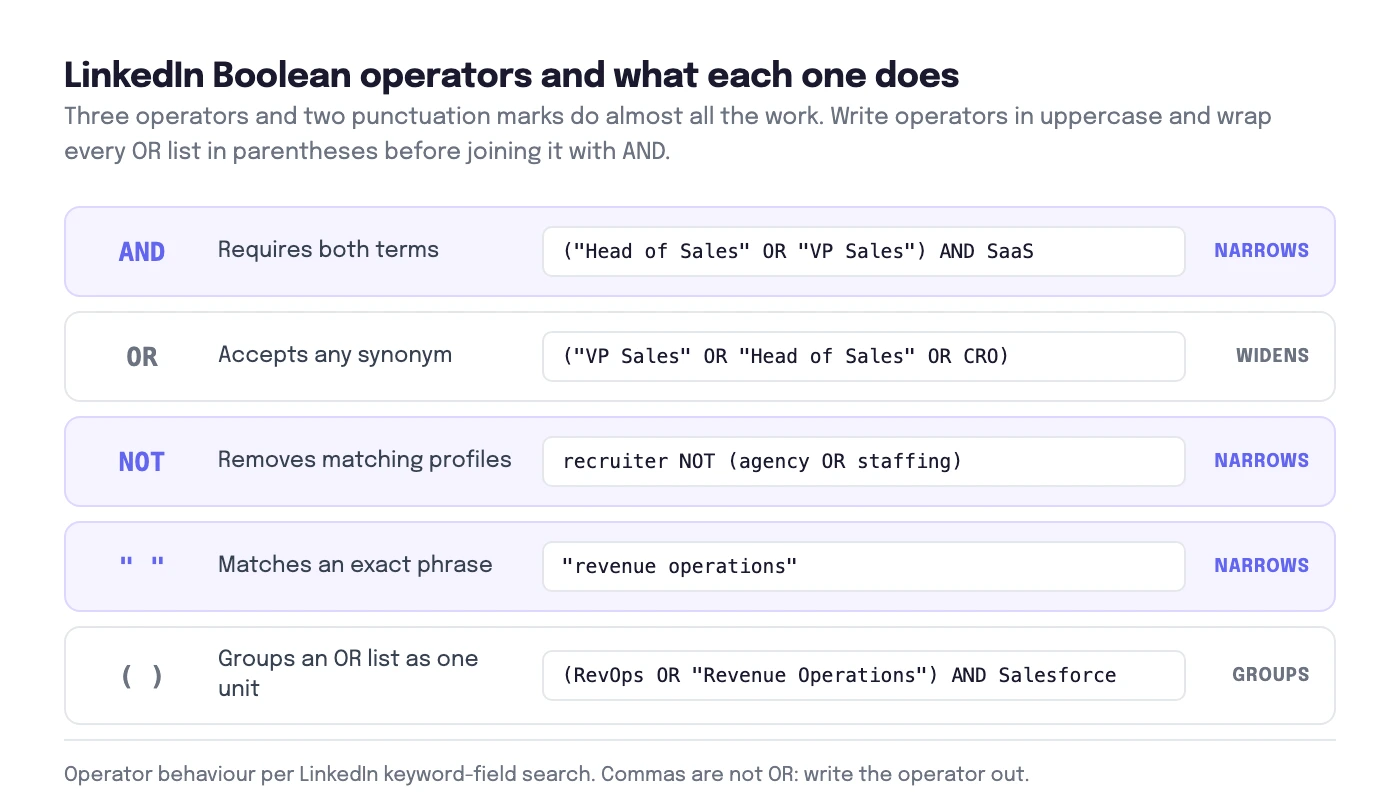
LinkedIn Boolean is plain text logic: you combine keywords with operators so LinkedIn includes, groups, or excludes terms inside its keyword fields. Three operators do almost all the work, and two punctuation marks control how LinkedIn groups them.
| Operator | What it does | Example |
|---|---|---|
| AND | Requires both terms or groups to be present | ("Head of Sales" OR "VP Sales") AND SaaS |
| OR | Accepts any of the listed synonyms | ("VP Sales" OR "Head of Sales" OR CRO) |
| NOT | Removes profiles that contain the term | recruiter NOT (agency OR staffing) |
| "Quotes" | Matches an exact phrase instead of separate words | "revenue operations" |
| (Parentheses) | Groups an OR list so it is evaluated as one unit | (RevOps OR "Revenue Operations") AND Salesforce |
Order, punctuation, and formatting rules
LinkedIn can treat a long, ungrouped string as best effort rather than strict logic, so keep the structure explicit.
- Write operators in uppercase. AND, OR, and NOT. Lowercase is usually understood, but uppercase avoids ambiguous parsing when you copy a string between the search bar and Sales Navigator.
- Wrap every OR list in parentheses before you connect it with AND. A string like A OR B AND C can be read ambiguously. (A OR B) AND C cannot.
- Commas are not OR. "VP Sales, Head of Sales" is not the same as ("VP Sales" OR "Head of Sales"). Write the operator out.
- Include both spelled-out and abbreviated forms. (CRO OR "Chief Revenue Officer"), (cofounder OR "co-founder"), (go-to-market OR "go to market" OR GTM).
Boolean in LinkedIn basic search vs Sales Navigator: what changes?
The same Boolean string can return different results depending on where you run it. Basic LinkedIn search and Sales Navigator expose different filters, different ranking, and different profile data, so treat every new query as untested until you check a sample of results.
| Search surface | Where Boolean works | Where it does not |
|---|---|---|
| LinkedIn basic search (top search bar) | The main keyword field, before you apply People or Company filters | Structured filters like location, industry, or company size are picklists; Boolean does nothing there |
| Sales Navigator | Keyword-style fields, for example title or keyword inputs | Structured filters like Seniority level, Function, Company headcount, and Geography, same limitation |
| Google X-Ray (site:linkedin.com/in) | Full Google Boolean support, plus the site: operator | Only returns profiles Google has indexed and that are publicly visible |
Sales Navigator's real advantage is not stronger Boolean support, it is more structured filters. Once Seniority level, Function, Company headcount, and Geography exist as picklists, you need far less Boolean to reach the same precision. On basic search, without those filters, your Boolean string has to do more of the work on its own, which is also why long strings misfire more often there.
A typical Google X-Ray pattern looks like this: site:linkedin.com/in ("revops" OR "revenue operations") ("manager" OR "director"). It is useful when you want to sanity-check a title list outside LinkedIn's own index, or when a target profile is not ranking inside LinkedIn's own search.
15+ copy-paste Boolean strings for B2B sales prospecting
These are built around one job to be done: put your ICP in front of you, not a mix of job seekers, consultants, and people who mentioned your keyword once. Each string uses one OR block for the role, at most one context keyword, and a short NOT block where it earns its place. Swap the bracketed context keyword for your own product category, then paste the result into the LinkedIn search bar or a Sales Navigator keyword field.
1. B2B SaaS founder or CEO
Why it works: early-stage SaaS founders sign off on tools themselves, so the title block alone is often enough to find the actual buyer.
(founder OR cofounder OR "co-founder" OR CEO OR "chief executive officer") AND (SaaS OR "B2B software" OR startup)2. VP Sales, Head of Sales, or CRO
Why it works: this is the person who owns pipeline and typically signs off on outbound and sales tooling.
("VP Sales" OR "VP of Sales" OR "Head of Sales" OR "Sales Director" OR "Chief Revenue Officer" OR CRO) AND (SaaS OR "B2B software")3. RevOps or Sales Ops leader
Why it works: RevOps leaders are tied to the CRM stack and are usually the technical buyer for outbound and enrichment tools.
(RevOps OR "Revenue Operations" OR "Sales Operations" OR "GTM Operations" OR "Go-to-Market Operations") AND (Salesforce OR HubSpot OR "Salesforce CRM")4. Demand Gen or Growth Marketing leader
Why it works: this persona owns pipeline-building budget adjacent to sales tech, making them a fast second contact inside an account.
("Demand Generation" OR "Demand Gen" OR "Growth Marketing" OR "Performance Marketing") AND (B2B OR SaaS)5. Marketing agency owner
Why it works: small and mid-size agencies buy and switch tools fast, and the owner usually decides alone without a committee.
("agency owner" OR founder OR CEO OR principal OR partner) AND (marketing OR "digital marketing" OR SEO OR PPC)6. Staffing or recruitment agency owner
Why it works: this targets agency owners as buyers of outbound and CRM tools for their own business development, not as a way to source candidates.
("staffing agency" OR "recruitment agency" OR "search firm") AND (founder OR CEO OR director OR partner OR owner)7. Customer Success leader
Why it works: CS leaders own renewal and expansion motion, a growing budget line that increasingly buys outbound-adjacent tools for upsell campaigns.
("Head of Customer Success" OR "VP Customer Success" OR "Customer Success Director" OR "Chief Customer Officer" OR CCO) AND (SaaS OR software)8. IT or security decision-maker
Why it works: in regulated or enterprise accounts, this persona is the procurement gatekeeper you need on side before a deal closes.
(CIO OR "Head of IT" OR "IT Director" OR CISO OR "Security Director") AND ("information security" OR cybersecurity OR "IT operations")9. Finance decision-maker
Why it works: useful when a deal needs a finance sign-off above a certain contract value, or when you sell directly to finance teams.
(CFO OR "Chief Financial Officer" OR "VP Finance" OR "Head of Finance") AND (SaaS OR "B2B" OR startup)10. HR or People leader
Why it works: a clean persona when your ICP sells into HR tech or workforce tools; note this targets buyers, not candidates.
("Head of People" OR "VP People" OR "Chief People Officer" OR CHRO OR "HR Director") AND (SaaS OR "B2B software")11. E-commerce or DTC brand owner
Why it works: the vendor-name keyword (Shopify) signals real operational maturity instead of just an intent to sell online.
(founder OR CEO OR "Head of Ecommerce" OR "VP Ecommerce") AND (Shopify OR "DTC" OR "direct-to-consumer" OR ecommerce)12. Manufacturing or Operations Director
Why it works: title language varies by region in this vertical, so testing both "Director" and "VP" catches more of the real market.
("Operations Director" OR "VP Operations" OR "Plant Manager" OR "Head of Operations") AND (manufacturing OR industrial OR logistics)13. Named account targeting (ABM)
Why it works: pairs a role block with named competitor or tool signals to reach specific accounts you already track, instead of guessing at industry keywords.
("Head of Sales" OR "VP Sales" OR CRO) AND (Salesforce OR "Salesforce CRM") AND ("Gong" OR "Salesloft" OR "Outreach.io")14. Competitor-user targeting
Why it works: if a prospect already pays for an adjacent tool, they understand the category and the pitch lands faster.
(RevOps OR "Revenue Operations" OR "Sales Operations") AND ("Clari" OR "Gong" OR "Chorus.ai")15. Target account list
Why it works: swap the parentheses for your own 10 to 25 target account names when you run account-based outbound; keep each list short and run multiple passes.
("Head of Marketing" OR CMO OR "VP Marketing") AND ("Shopify" OR "Klaviyo" OR "Intercom" OR "Asana")16. Universal noise filter
Why it works: append this NOT block to any string above to strip job seekers and students without deleting real buyers; keep it short so you do not accidentally exclude good fits.
NOT (intern OR internship OR student OR "open to work" OR "seeking new opportunities" OR "new grad" OR "entry level")Limits and gotchas: title vs keyword fields, and what LinkedIn ignores
Most "my Boolean is broken" complaints come from one of three things: the wrong field, a punctuation slip, or a NOT block that is too aggressive. Here is what actually trips people up.
- Title fields vs keyword fields. In Sales Navigator, a dedicated title field usually matches against a profile's current title only, while a general keyword field can match against the headline, summary, and sometimes posts. The same OR list can behave very differently depending on which field you paste it into, so check the field before you start debugging the string.
- No official character limit, but long strings degrade. LinkedIn does not publish a hard character limit for keyword queries. In practice, very long strings with several nested parentheses tend to get parsed loosely or return inconsistent results. If a query runs past a couple of lines, split it into two shorter searches and merge the shortlists afterward.
- Commas, hyphens, and casing. Commas are not treated as OR. Hyphenated titles behave inconsistently, so include both forms: (cofounder OR "co-founder"), (go-to-market OR "go to market" OR GTM).
- Over-aggressive NOT. NOT can match a keyword anywhere on a profile, not just the current title. A strong candidate can mention "intern" while describing a mentoring program, and a broad NOT intern block will drop them too. Keep NOT lists to three to five terms and glance at what you excluded once in a while.
If a result set looks too clean or unexpectedly small, remove the NOT block first, then the context keyword, and see which one was doing the damage.
Combining Boolean with LinkedIn filters
Boolean is a scalpel for role language. Filters are built for the market slice. Once you have a clean OR block for titles, hand the rest of the targeting to LinkedIn's structured filters instead of typing more keywords.
- Location instead of typing city or country names into the query.
- Company headcount instead of guessing "mid-market" or "enterprise" as keywords.
- Industry instead of stacking synonyms like SaaS, software, technology, and cloud.
- Seniority level and Function (Sales Navigator) instead of typing "senior" or "manager" into the title block. Title inflation at startups makes keyword-based seniority unreliable.
- Current company when you are running account-based outbound against a known list, which is more precise than an OR list of company names inside the query.
A practical build order: write one OR block for the role, apply filters for geography, headcount, industry, and seniority, then only add a Boolean context keyword, a tool name, a competitor, a motion like PLG, if the filters alone still return too broad a list.
From Boolean search to outreach: what to do with the list
Once the search produces a relevant list, use the LinkedIn outreach sequence to turn that research into a first message and a measured follow-up. For software selection, compare LinkedIn outreach tools by channels and account model.
A Boolean string is only useful once it turns into a list you can actually message. Boolean search finds a name, a working outbound stack turns that name into a verified email address and a sequence that runs without babysitting.
- Save the shortlist before you touch outreach. Run your query, open the profiles that match, and save them to a review list. Keep each pass small, 50 to 200 profiles, so you can catch title drift before it reaches your CRM.
- Find and verify the email behind each profile. A LinkedIn URL is not a channel by itself. Our guide to finding emails from LinkedIn profiles covers nine ways to do this before you commit to a send.
- Dedupe by company domain. Running separate searches for "RevOps" and "Sales Operations" will surface the same account twice. Merge and dedupe by domain before you sequence anyone.
- Segment before you write a single line of copy. Split the list by the variable that actually changes your pitch, role, account size, or tech stack, so the first line of your message is specific instead of generic.
- Open with a message that will actually get accepted. Your connection request is the first thing this list sees; see our LinkedIn connection request templates for what gets a yes instead of an ignore.
- Run one sequence across email and LinkedIn. Once the list is clean, Overloop can sequence a connection request, a follow-up message, and an email step from the same list, and track replies across both channels instead of managing two disconnected tools.
The Boolean work stays cheap this way. You use it to find a plausible buyer, then let verification, dedupe, and segmentation do the work of turning a search result into a meeting.
Want your Boolean list sequenced automatically?
Overloop finds verified emails from LinkedIn profiles, dedupes by domain, and runs coordinated email + LinkedIn sequences from one clean list.
Try Overloop free →See featuresFrequently asked questions
Is there a character limit for LinkedIn Boolean search?
LinkedIn does not publish an official character limit for keyword queries. In practice, very long strings can get parsed loosely or return inconsistent results. If a query runs longer than a couple of lines, split it into two searches and merge the shortlists afterward.
Does Boolean work the same in Sales Navigator as in basic search?
No. Sales Navigator supports Boolean best in keyword-style fields, such as title or keyword inputs, while structured filters like Seniority level, Function, Company headcount, and Geography are picklists that ignore Boolean entirely. Basic search behaves similarly for its own keyword field. Test a new string on a small sample, since UI behavior can shift over time.
What is the difference between LinkedIn search and Google X-Ray search?
LinkedIn search queries LinkedIn's own index. Google X-Ray uses Google's Boolean operators plus the site: operator to find public LinkedIn profile pages that Google has indexed, for example site:linkedin.com/in combined with title keywords. If a profile is private or not indexed, Google will not surface it.
Can I save a Boolean search on LinkedIn?
Basic LinkedIn has limited saved-search behavior that varies by account type. Sales Navigator supports saved searches and alerts more consistently. Either way, capture qualified leads into your outbound system so you can dedupe, verify emails, and segment sequences without rebuilding the query every time.
Why does my NOT exclusion remove people I actually want?
LinkedIn matches keywords across more than the title, including the headline, summary, and sometimes posts. A buyer can mention "intern" in a post about mentoring, or "consultant" in a side project. Keep NOT lists short, three to five terms, and review the excluded set occasionally to catch false negatives.
Is it legal to use Boolean search or X-Ray search for LinkedIn prospecting?
This is not legal advice. Searching Google for publicly indexed pages is generally lawful, but you still need to follow LinkedIn's User Agreement and applicable privacy law, such as GDPR, when you process personal data from the EU. Read LinkedIn's terms directly and get legal advice if you run outbound at scale.