

LinkedIn SSI Score: What It Is and How to Improve It
Your LinkedIn SSI score explained: the 4 pillars, how to check it free, what counts as a good score, and how to raise it for B2B outbound.

On this page
Your LinkedIn Social Selling Index (SSI) is a free score from 0 to 100 that measures how well you use LinkedIn to build a brand, find buyers, share insights, and grow relationships. This guide breaks down the 4 pillars, shows where to check your score, explains what counts as good, and gives a practical plan to raise it, including how consistent LinkedIn outreach with Overloop feeds the engagement and relationship pillars that move the number.
LinkedIn SSI score in one minute
- The SSI is a free 0-100 score measuring how well you use LinkedIn for selling.
- It splits into 4 pillars worth 25 points each: brand, finding people, engaging, and relationships.
- Check it free at linkedin.com/sales/ssi, updated daily, no Sales Navigator needed.
- Above 70 is strong, 50-70 is solid, below 40 means a pillar needs work.
- You raise it by completing your profile, prospecting with intent, posting and engaging, and growing accepted connections.
What is the LinkedIn SSI score?
The LinkedIn Social Selling Index, or SSI, is a metric LinkedIn assigns to every member, scoring how effectively you use the platform to find and build relationships with potential buyers. It runs from 0 to 100 and updates daily based on your activity.
LinkedIn introduced the SSI in 2014 alongside Sales Navigator. The idea was simple: reps who treat LinkedIn as a relationship channel rather than a digital business card tend to sell more, so LinkedIn built a number to quantify those habits and nudge people toward them.
The total score is the sum of four sub-scores, each worth up to 25 points. Your SSI is recalculated every day, so a burst of activity or a few completed profile fields can shift the number within 24 hours. The dashboard also compares you against two reference groups: your industry and your own network. That relative ranking often tells you more than the raw number.
The 4 pillars of the SSI, explained
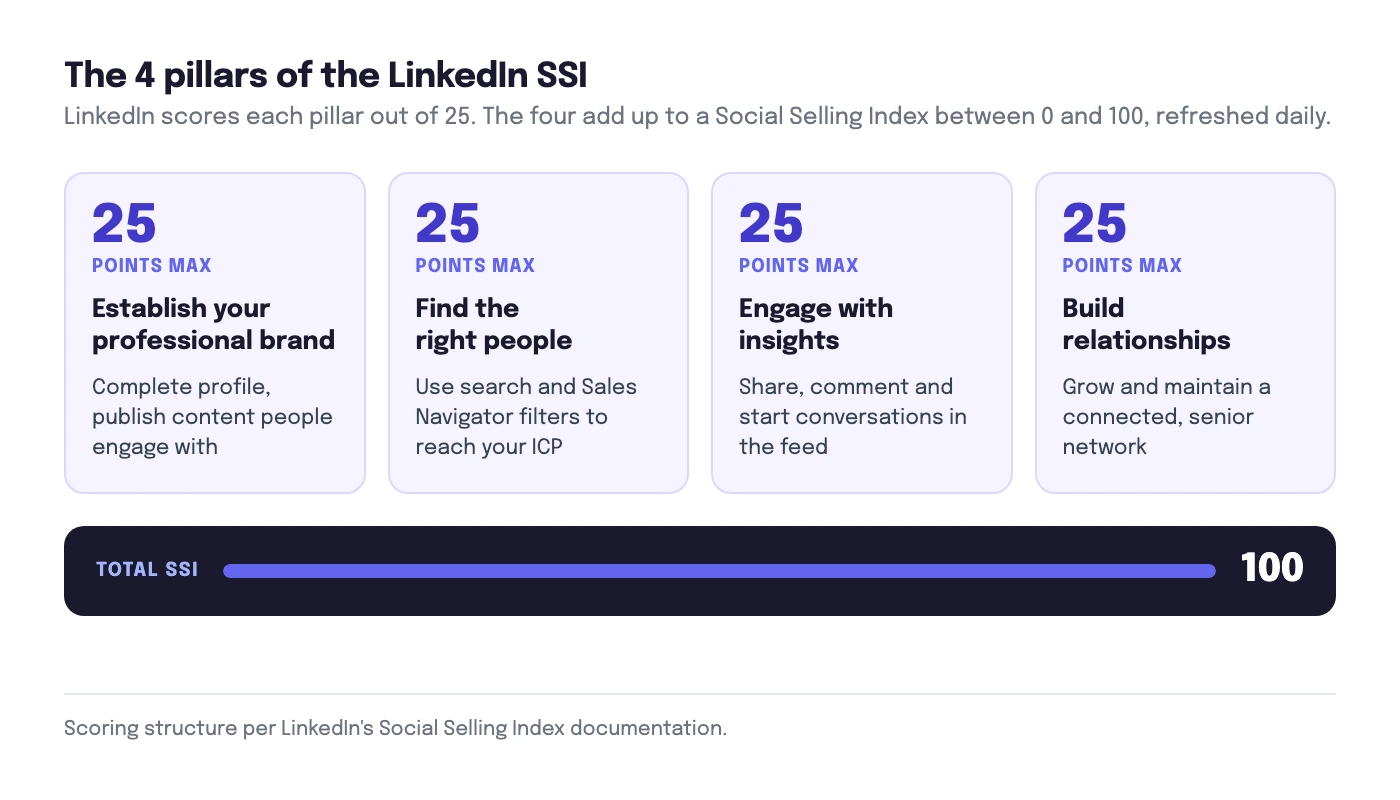
LinkedIn breaks the SSI into four components, each scored out of 25. To move your total, you have to know which pillar is dragging it down. Here is what each one measures and what feeds it.
| Pillar | Max points | What it measures | What feeds it |
|---|---|---|---|
| Establish your professional brand | 25 | How complete and credible your profile looks to buyers | Full profile, clear headline, rich media, published posts and articles, endorsements |
| Find the right people | 25 | How effectively you use LinkedIn search to identify prospects | Searches, profile views, saved leads, Sales Navigator filters and lead lists |
| Engage with insights | 25 | How actively you share and interact with relevant content | Sharing posts, commenting, reacting, sending messages, joining conversations |
| Build relationships | 25 | How well you connect with and are accepted by decision-makers | Connection requests sent and accepted, especially with senior and target-account contacts |
1. Establish your professional brand
This pillar rewards a complete, buyer-facing profile. A photo, a headline that says what you do for whom, a filled-out summary, listed skills with endorsements, and published content all count. It is the fastest pillar to fix because most of it is a one-time setup task.
2. Find the right people
LinkedIn watches whether you actually use the platform to prospect: running searches, viewing profiles, and saving leads. Sales Navigator users score higher here because the advanced filters and saved searches signal intentional prospecting. If you barely search, this pillar stays low.
3. Engage with insights
This measures whether you participate or just lurk. Sharing useful posts, commenting with substance, reacting, and messaging contacts all feed it. It is the pillar most people neglect, and the one that compounds: consistent daily engagement keeps it high.
4. Build relationships
The relationship pillar is about accepted connections, weighted toward senior people and decision-makers. Sending requests is not enough; they have to be accepted. That is why a personalized, relevant connection request beats a blank one, and why connecting with the right people matters more than connecting with everyone. Well-crafted connection request messages raise that acceptance rate directly.
How to check your LinkedIn SSI score
Checking your SSI is free and takes about ten seconds. You do not need a paid plan.
linkedin.com/sales/ssi. Log in to LinkedIn first, then open that exact path. The dashboard shows your total score out of 100 at the top, four pillar bars worth 25 points each, and two percentile rankings: one against your industry and one against your network. It works on the free LinkedIn account, with no Sales Navigator subscription required.- Log into LinkedIn from any browser.
- Go to
linkedin.com/sales/ssi. - Read your total score out of 100 at the top.
- Review the four pillar scores out of 25 each below it.
- Check your two rankings: against your industry, and against your network.
The dashboard is open to every LinkedIn member, with or without a Sales Navigator subscription, as LinkedIn confirms on its Social Selling Index page. The number refreshes daily, so if you complete your profile today you will usually see the brand pillar move by tomorrow.
What is a good LinkedIn SSI score?
There is no official pass mark, but the practical bands below are consistent across what LinkedIn and social-selling practitioners report. They reflect LinkedIn's own percentile framing: the SSI dashboard ranks you against your industry and your network, so the bands matter most as a position relative to your peers rather than as an absolute grade.
| Score range | What it means | What to do |
|---|---|---|
| 70-100 | Strong. Top tier of social sellers. | Maintain consistency; protect the engagement pillar. |
| 50-70 | Solid. Above average with clear room to grow. | Find your weakest pillar and target it. |
| 40-50 | Average. The starting point for most casual users. | Complete your profile and start engaging daily. |
| Below 40 | Low. At least one pillar is being ignored. | Fix the brand pillar first, then build a daily routine. |
The relative ranking matters more than the absolute number. LinkedIn shows where you sit within your industry and your network. Being in the top 5% of your industry is a stronger signal than a high raw score in a less active field, because it tells you that you are more visible and credible than the people your buyers are also talking to.
How to improve your LinkedIn SSI score
You raise the SSI by raising the four pillars. Here is the order I would work in, fastest wins first.
Fix the brand pillar (week 1)
- Add a clear professional photo and a banner.
- Write a headline that names who you help and how, not just your job title.
- Fill the summary and experience sections completely.
- Add skills and ask a few colleagues for endorsements.
- Publish at least one post so your profile shows recent activity.
Prospect with intent (ongoing)
- Run real searches for your target buyers instead of browsing your feed.
- Save leads and view the profiles of people who fit your ICP.
- If you have Sales Navigator, use saved searches and lead lists. See our guide to how to use LinkedIn Sales Navigator for the filter setup that feeds this pillar.
Engage every working day (ongoing)
- Comment with substance on three to five posts from your network or target accounts.
- Share one useful post or insight a few times a week.
- Reply to messages quickly; conversations feed this pillar.
Grow accepted connections (ongoing)
- Send personalized connection requests to the right people, not mass invites.
- Prioritize senior and decision-maker contacts; they are weighted more heavily.
- Follow up on accepted connections so the relationship is real, not a dead link.
The relationship pillar can move more slowly than profile and engagement indicators because accepted connections with relevant senior contacts accumulate over time and acceptance is outside your control. Treat any expected timeline as directional, then monitor your own weekly SSI changes before drawing conclusions.
Does the SSI score actually matter?
It matters as a diagnostic, not as a target. The danger is treating the number as the goal and chasing points with low-value activity. The SSI is useful precisely because it summarizes behaviors that correlate with pipeline: a credible profile, intentional prospecting, real engagement, and accepted relationships.
LinkedIn's own framing is that social selling leaders with high SSI create 45% more opportunities and are 51% more likely to hit quota (LinkedIn Sales Solutions). Read that as correlation. The reps who do the work that raises SSI are the reps who build pipeline. The score is the dashboard, not the engine.
So watch your SSI the way you would watch a fitness tracker: as a signal that your habits are on track. If the number is climbing because you are genuinely active and targeted, your pipeline usually follows. If you are gaming it, you will have a high score and an empty calendar.
Does your SSI score affect your LinkedIn reach?
No. The SSI is a measurement, not an algorithmic ranking input. LinkedIn does not boost the reach of your posts or push your profile higher in search because your SSI is high. The feed algorithm ranks content on engagement signals like dwell time, comments, and relevance to each viewer, not on your Social Selling Index. The SSI simply scores the same behaviors that tend to earn reach, which is why active sellers usually have both a high SSI and good reach. One does not cause the other. Raising your SSI by completing your profile and engaging daily can improve your reach, but that is the underlying activity working, not the score itself.
The two pillars most outbound teams let slip are engagement and building relationships, because they require daily activity that is easy to drop when you get busy. That is exactly where a structured outbound process helps.
At Overloop, we run multichannel sequences that mix LinkedIn connection requests, LinkedIn messages, and email, all auto-paced under LinkedIn's daily limits. Because the activity is consistent and personalized rather than bursty, the relationship and engagement pillars stay warm without anyone remembering to log in and grind. It is not a hack to inflate a score; it is a system that keeps the underlying behaviors steady, and the SSI reflects that.
If you want the full picture on running LinkedIn at scale, see our LinkedIn outreach playbook, the roundup of 8 best AI LinkedIn outreach tools, and our ultimate guide to LinkedIn automation for the workflows that keep activity consistent.
Frequently asked questions
What is a good LinkedIn SSI score?
How do I check my LinkedIn SSI score for free?
linkedin.com/sales/ssi. The dashboard is free for every member, even without a Sales Navigator subscription. It shows your total SSI out of 100, a breakdown of the four pillars out of 25 each, and your ranking against your industry and your network. The score refreshes daily, so changes from new activity show up within about 24 hours.What are the four pillars of the LinkedIn SSI?
Does the LinkedIn SSI score actually matter for outbound?
Does your SSI score affect your LinkedIn reach?
How long does it take to improve your SSI score?
Keep your LinkedIn activity consistent
Overloop runs personalized multichannel sequences across LinkedIn and email, auto-paced under LinkedIn's limits, so the engagement and relationship habits behind a strong SSI stay steady. From $69/mo.
Try Overloop free