

 Overloop
- Best fit
- Data, email and LinkedIn in one tool
- Billing unit
- Per user
- Entry price (annual)
- $69/user/mo
- Entry send limit
- 1 email account, 3 campaigns
- Contact data
- 250 credits/user/mo
- Free trial
- 7 days
Compare ten cold email platforms by sending capacity, contact data, connected accounts and total budget. Choose email-only infrastructure or a workflow that combines sourcing, email and LinkedIn.
 Overloop
 Smartlead
 Saleshandy
 Instantly
 lemlist
 Snov.io
 Apollo.io
 Reply.io
 Woodpecker
| Tool | Best fit | Billing unit | Entry price (annual) | Entry send limit | Contact data | Free trial |
|---|---|---|---|---|---|---|
| Overloop |
Data, email and LinkedIn in one tool | Per user | $69/user/mo | 1 email account, 3 campaigns | 250 credits/user/mo | 7 days |
| Smartlead |
Agencies, many domains | Flat, per workspace | $32.50/mo | 6,000 emails, 2,000 contacts | Not included | Yes, length not stated |
| Saleshandy |
Small teams wanting one bill | Flat, per workspace | $34/mo | 6,000 emails, 2,000 prospects | 1,500 credits/mo | 7 days |
| Instantly |
Sending plus data bundle | Flat, per workspace | $37.60/mo sending only | 5,000 emails, 1,000 contacts | Separate credits or bundle | None advertised |
| lemlist |
Creative personalization | Workspace on Email, per user on Multichannel | $55/mo | 50,000 emails | Pay per result, $0.05 an email | 14 days |
| Snov.io |
Lowest flat-rate bundle | Flat, seats included | $29.25/mo | 5,000 recipients | 1,000 credits/mo | Renewable free tier |
| Apollo.io |
Database-first prospecting | Per seat | Free, then $49/seat/mo | 2 sequences on free | Built in, credit metered | Free plan plus 14 days |
| Reply.io |
Email, LinkedIn, calls and SMS | Per user, then flat above 10,000 contacts | Email: $49/user/mo; Multichannel: $89/user/mo | 1,000 active contacts | 50 live-data credits/mo | 14 days |
| Woodpecker |
Lumpy or seasonal volume | Per contacted prospect | Calculator only, not published | 16,000 emails at base position | 100 Lead Finder credits | 14 days |
| GMass | Sending from Gmail | Per Google account | $29/mo, Premium | Google Workspace limits apply | Not included | Not stated on page |
Screens captured in a signed-in Overloop account on September 13, 2026. Each caption identifies the controls we observed.

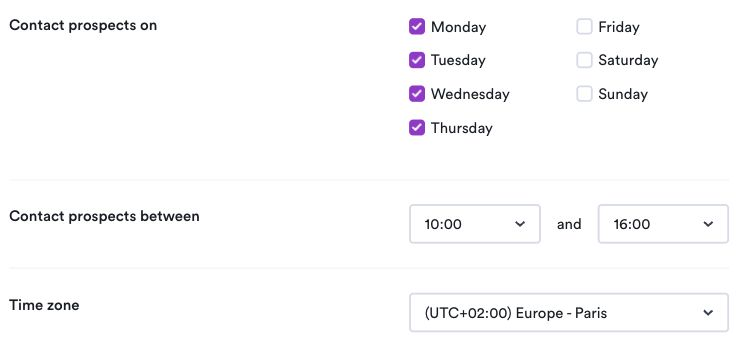
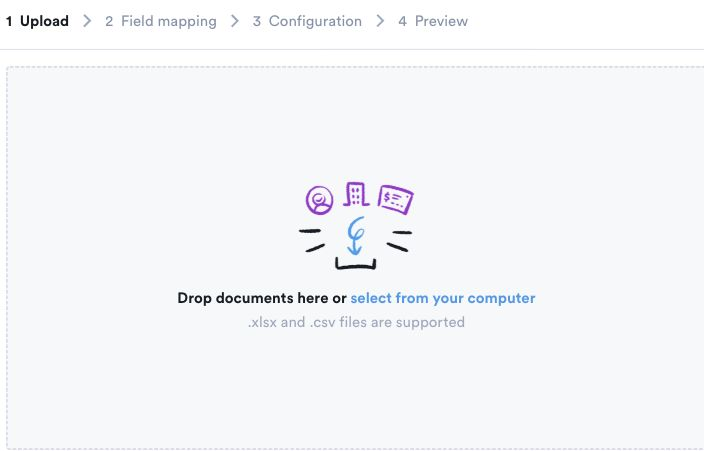
We did not run a prospect search, launch a campaign or import a file. These screens do not establish data quality, outreach results or a successful end-to-end import. Source: app.overloop.ai
Use the plan that can run your required sequence as the price baseline. Contact sourcing, sending capacity, mailboxes and team access are separate requirements even when a vendor bundles them.
Publisher disclosure: Overloop publishes this guide and is our first recommendation for small B2B teams that want prospect sourcing, email and LinkedIn in one workflow. The other options address specific requirements. Recommendations use public vendor sources; we did not run a comparative product trial. Method and dated sources.
Prices are public list prices before tax, read on September 12, 2026. "Entry price (annual)" is the displayed monthly equivalent when billed annually, on the cheapest plan that still runs a cold email sequence. A low entry price is not a low total cost once data, mailboxes, warm-up and seats are added.
Start with the channel mix, then compare users, contact volume and sending controls. Those requirements determine which plan belongs in the shortlist.
Email plus LinkedIn: compare Overloop, lemlist Multichannel and Reply.io Multichannel if one seller needs to coordinate both channels around the same prospect. Check the included LinkedIn account, source-data allowance and CRM integration scope. Email only: Smartlead, Saleshandy and Instantly are useful starting points when mailbox operations and sending capacity are the main requirement. Channel fit comes before the cheapest entry price.
Seat and workspace pricing scale differently. Check included team access on Smartlead, Saleshandy, Snov.io and Woodpecker, and multiply the per-user price on Overloop and Apollo by the people who need access. lemlist and Reply.io use different billing models across their plans.
Send volume and contact volume are separate meters and entry plans cap both. Count the new people you contact each month, not the messages, because most of these products bill on the former.
Compare warm-up, verification and mailbox rotation together with authentication and sending controls. These features are bundled differently and do not guarantee inbox placement.
Best for: a two-to-ten person B2B team that wants to find a prospect, write the sequence and add a LinkedIn step without buying three products.
Overloop is our product and our first recommendation when your B2B team needs prospect sourcing, an email finder and email plus LinkedIn sequences in one platform. Compare its per-user cost and credit allowance with the number of contacts and connected email accounts your team needs; an email-only platform may fit a mailbox-heavy workflow better.
Pricing on September 12, 2026. Starter is $69 per user per month with 250 credits per user, one connected email account and three active campaigns. Growth is $99 per user per month with 500 credits, three email accounts, ten active campaigns, the HubSpot and Pipedrive integrations and REST API access. Enterprise is quoted and adds Salesforce, a dedicated IP and granular roles. There is no annual toggle: the published price is the price. The trial runs seven days.
The limit that bites: a five-seat team pays five times, where Saleshandy, Snov.io and Smartlead charge once. One connected mailbox on Starter is thin for anyone rotating domains, and seven days is the shortest trial here. Overloop does not document a native phone channel on its current pricing page.
If you want the product page rather than the roundup, it is cold email software.
Best for: agencies and in-house teams running many sending domains at once.
Smartlead sells sending capacity, not seats. Every plan advertises unmetered email-account connections on a flat workspace fee, which is why lead-gen agencies default to it. Sequences, inbox rotation, a master inbox, sub-accounts and white-label are all in the box.
Pricing on September 12, 2026. Base is $39 per month, or $32.50 billed annually, for 2,000 contacts, 6,000 emails and 2,000 verified emails a month. Pro is $94, or $78.30 annually, for 30,000 contacts and 90,000 emails. The tier labelled Unlimited Smart is $174, or $144.50 annually, and still caps sends at 150,000. Unlimited Prime is $379, or $314.60 annually, for 500,000 sends. Warm-up costs $59 a month on Base and Pro and is bundled above. CRM access is $39, calling $29, white-label $29 per client. A free trial exists; the page does not state its length.
The limit that bites: the plan names promise more than the quotas deliver. An unmetered mailbox count on the $39 plan still shares one 6,000-email ceiling, and warm-up costs more than the plan itself until the $174 tier.
Best for: a one-to-ten person B2B team that wants data, verification and sequencing on one invoice.
Saleshandy bundles the most at the entry point: a flat workspace price, sender rotation and pacing, and a monthly allowance of lead credits instead of a separate data subscription. One credit buys one verified work email, a phone number six. Manual LinkedIn steps fit inside a sequence; automated LinkedIn does not.
Pricing on September 12, 2026. Starter is $34 a month billed annually, shown as $408 for the year, or $41 monthly: 2,000 active prospects, 6,000 emails, 1,500 lead credits and one user. Pro is $76 annually, or $99 monthly, for 30,000 prospects, 100,000 emails, 4,000 credits and ten users. Scale is $149 annually, or $189 monthly, for 200,000 emails and 8,000 credits. On annual billing the full year of credits lands up front. The trial runs seven days.
The limit that bites: seven days is the shortest trial here and is tight once authentication and warm-up eat the first week. Automated LinkedIn is absent at every tier, so a multichannel team pays twice.
Best for: operators who want one vendor for mailboxes, warm-up and a lead database.
Instantly splits its pricing into four tabs, and reading the wrong one is the most common budgeting error in this category. Outreach sells sending, Credits sells data, Bundles sells both at a price that is not the sum. Mailboxes and warm-up are unmetered on every tier.
Pricing on September 12, 2026. On the Outreach tab, Growth is $47 a month, or $37.60 annually, for 5,000 emails and 1,000 contacts. Hypergrowth is $97, or $77.60 annually, for 25,000 contacts, and the monthly and annual cards show different send figures. Light Speed is $358, or $286.30 annually, for 500,000 emails. On Bundles, Starter is $94, or $85 annually, for 5,000 emails, 1,000 contacts and 1,500 credits; Scale is $194, or $175 annually, for 100,000 emails, 25,000 contacts and 5,000 credits; Agency is $555, or $500 annually. Standalone credits start at $47 for 1,500. The page advertises no free plan and no trial.
The limit that bites: $37.60 is the sending half only. Add data and you land on a bundle at roughly double, and with no published trial the first real test is a paid month.
Best for: teams whose edge is the message itself: personalized images, video thumbnails and AI-assisted copy.
lemlist keeps the most distinctive creative layer in the category. It is also the only product here whose billing unit changes between its two main plans, which makes a naive price comparison misleading.
Pricing on September 12, 2026. The Email plan is $69 a month, or $55 billed yearly, priced per workspace with unmetered users and 50,000 emails a month. The Multichannel plan is $109 a month, or $87 yearly, priced per user, with five senders each. Contact data is not bundled: credits cost one cent each, so a verified email is five cents and a phone number twenty. Intent signals run from 20 credits for a website visit to 400 for LinkedIn engagement. The trial is 14 days on Multichannel.
The limit that bites: the step from Email to Multichannel is not $40, it is a change of model. A five-person team pays $55 a month on Email and $435 on Multichannel at yearly rates, with data outside both.
Best for: a bootstrapped team that wants a finder, a verifier, a sender, warm-up and a light CRM for less than one seat elsewhere.
Snov.io charges per workspace and includes team seats, which changes the arithmetic past two people. LinkedIn automation exists but sits outside the plan.
Pricing on September 12, 2026. Billing is monthly, quarterly at 5 percent off, or annual at 25 percent off. Starter is $39 a month, or $29.25 annually, for 1,000 credits, 5,000 recipients and three warm-up slots. Pro S is $99, or $74.25 annually, for 5,000 credits and 25,000 recipients. Pro M is $189, or $141.75 annually; Pro L $369, or $276.75; Pro Ultra $738, or $553.50. LinkedIn automation is a separate slot at $69 a month, or $62 annually. Phone and enrichment data use a token wallet: 10,000 tokens cost $200 once and expire after 90 days. The free Trial plan renews every 30 days with 50 credits and 100 recipients.
The limit that bites: the credit line, not the plan line. A thousand credits a month is about a thousand addresses, which a team prospecting seriously burns in two weeks. The free tier excludes integrations, bulk search, A/B testing, the API and export.
Best for: teams whose bottleneck is finding the right accounts, with sequencing as the second job.
Apollo is a database that grew a sequencer, and the pricing shows it: everything is metered in credits, and credits are what you are buying. Its free plan is the most generous entry point here and a legitimate way to test data coverage on your own ICP first.
Pricing on September 12, 2026. The free plan gives 900 credits per seat per year, released monthly, and caps sequences at two. Basic is $49 per seat a month billed annually, or $65 monthly, with 30,000 credits per seat released up front on annual billing. Professional is $79 per seat annually, or $99 monthly, with 48,000 credits. Organization is $119 per seat annually with a three-seat minimum. The Inbound module and the Advanced Dialer are each $119 per team a month billed annually. Paid tiers advertise a 14-day trial. Apollo's own structured data lists a different Professional price from the table a buyer sees; quote the rendered table.
The limit that bites: two sequences on the free plan makes it a data trial, not a sending trial, and database size is a marketing number. Test coverage on 200 of your own target accounts before committing a year.
Best for: a team that wants LinkedIn, calls, SMS and semi-automated WhatsApp inside one sequence, plus agencies needing multi-workspace billing.
Reply.io covers more channels than anything else here and prices them in more ways. The model changes shape halfway up the ladder: below 10,000 active contacts you pay per user, at and above it a flat fee with unmetered users.
Pricing on September 12, 2026. Email Volume is sold by active contacts a month, where an active contact is one first-step email plus its follow-ups. On annual billing that is $49 per user at 1,000 active contacts, $69 at 3,000 and $89 at 5,000, then flat fees with unmetered users: $159 at 10,000, $259 at 25,000, $459 at 50,000 and $899 at 100,000. Multichannel is $89 per user annually with ten mailboxes, or $99 monthly with five. Both include warm-up, 50 live-data credits a month and up to 200 visitor reveals. On Email Volume, LinkedIn automation adds $69 per account and calls with SMS $29. Multichannel includes one LinkedIn account and the calls/SMS channel per user; do not add the Email Volume channel charges again. The Jason AI SDR starts at $500 a month, and Agency Core at $210. The trial is 14 days.
The limit that bites: compare the plan that contains your channels. Three Multichannel seats with their included LinkedIn accounts cost $267 per month on annual billing, before data or infrastructure extras. Email Volume plus LinkedIn is a different configuration, not the price of Multichannel.
Best for: lumpy outbound volume, agencies with a variable client roster, and anyone who resents paying for a seat that sat idle in August.
Woodpecker meters what you consume: contacted prospects per month, where one person contacted five times counts once. Team members and email accounts are not metered, and the base slider position includes 16,000 emails a month, four warm-ups and 100 Lead Finder credits.
Pricing on September 12, 2026. We could not publish Woodpecker's plan prices. The page renders its totals in the browser from a slider, and every price node served to us was empty, so any figure here would be invented. What the page does publish as static text is the structure and the add-ons: a contacted-prospects slider from 500 to one million a month, annual billing advertised as 33 percent cheaper, and twelve currencies. LinkedIn outreach is $29 a month per connected account, an extra warm-up $5, a Google or Microsoft mailbox $6, a mailbox elsewhere $4, a dedicated server $59, integrations and API access $20, and the agency panel $27 per active client. Lead Finder credits start at $10 per 500. The trial is 14 days.
The limit that bites: you cannot budget Woodpecker from its pricing page, only from its calculator, and the add-on sheet is long enough that a mailbox-heavy setup can double the slider figure.
Best for: founders, recruiters and solo operators who send from one Google Workspace account and do not want a second application.
GMass is a Chrome extension that turns the Gmail compose window into a sequencer. Merges run from Google Sheets, replies land in the thread you already know, and follow-ups stop when someone answers. That is also its ceiling: it inherits Google Workspace sending limits and is not the tool for twenty domains.
Pricing on September 12, 2026. Individual plans are priced per Google account. Standard is $29.95 a month, or $20 at $249 a year. Premium is $39.95, or $29 at $349 a year. Professional is $59.95, or $49 at $599 a year. Team bundles of the Premium plan come in fixed seat counts: five users at $145 a month annually, ten at $245, twenty-five at $604, fifty at $1,125 and a hundred at $1,833. Every tier advertises unmetered emails, contacts, campaigns and verification, footnoted as depending on individual account configuration. Sequences, A/B testing and the API start at Premium; inbox rotation is Professional only. The page offers a free call to action but states no trial length.
The limit that bites: Standard has no follow-ups, so it is not really a cold email plan. The real product starts at Premium, and the advertised sending ceiling is Google's, not GMass's. We could not capture a current public page for this product, so this section carries no image.
Confirm five things on the plan you would buy: the billing unit, sending and contact limits, data credits, deliverability controls, and trial or export terms. A sending plan can fit a team that already owns its data; a sourced-contact workflow needs both costs in the budget.
Use the same requirements when requesting a quote: three users, six connected mailboxes, 1,500 newly sourced prospects with valid emails per month, around 6,000 sends, and warm-up. Decide separately whether LinkedIn is required. The examples below distinguish the platform bill from missing capacity; they are not equivalent all-in quotes.
| Configuration | Platform cost | What still needs checking |
|---|---|---|
| Overloop Growth, three seats | 3 seats × $99/user/month = $297/month | Nine connected email accounts and 1,500 credits. Sourcing a prospect uses one credit and finding a valid email uses another: 1,500 newly sourced prospects with emails require 3,000 credits if all lookups succeed. The included allowance therefore does not cover this scenario. Request the extra-credit cost; importing your own prospects changes the calculation. |
| lemlist Email plus enrichment | $55 per month on annual billing, plus $75 for 1,500 successful email finds | This $130 subtotal covers email only and the stated enrichment assumption. LinkedIn requires Multichannel at $87 per user per month on annual billing; three seats are $261 before enrichment. Check all credit-consuming actions and infrastructure costs. |
| Reply.io Multichannel, three seats | $89 per user per month on annual billing, or $267 for three seats | The base plan includes a LinkedIn account per user. Its included live-data allowance does not establish coverage for 1,500 new contacts. Price data and any extra mailboxes or accounts separately. |
| Email-only sending tools | Use the plan that fits both sends and active contacts | Confirm seats, six mailbox connections, warm-up slots, verification and the number of successful contact reveals. A sending-only quote cannot be compared with a sourced-contact bundle until data is added. |
Sources rechecked September 13, 2026: Overloop plans and credit rules, lemlist plans and enrichment credits, and Reply.io plan inclusions. These subtotals exclude tax, domains and mailbox hosting. Keep annual commitments visible rather than comparing them with cancel-anytime monthly prices.
Before switching, export suppression lists first, preserve verification status and custom fields, and rebuild one representative sequence with its sending windows and reply handling. Check CRM field mapping and the destination of replies before moving the rest of the team. Our Apollo migration checklist gives a practical example.
None of these ten can guarantee inbox placement, and any vendor implying otherwise is selling something it does not control. A platform can check authentication, pace sends, rotate mailboxes, warm accounts, verify addresses and process unsubscribes. It cannot control recipient complaints, stale lists, weak relevance, a damaged domain history, or the filtering decision made at Gmail, Outlook or Yahoo.
The floor is published and it is not optional. Google requires every sender to personal Gmail accounts to authenticate with SPF or DKIM, keep valid forward and reverse DNS, transmit over TLS and keep complaints low. Senders of roughly 5,000 or more messages a day to Gmail must also use both SPF and DKIM, publish DMARC, align the From domain, support one-click unsubscribe and keep the reported spam rate below 0.3 percent. Read Google's email sender guidelines and its sender-requirement FAQ, then check the equivalent rules for every provider on your list.
Cold email to a business contact is lawful in most major markets when it is done correctly. The rules are about consent, identification and opt-out, not about which software you bought. In the United States, the CAN-SPAM Act requires accurate headers, a valid physical postal address and a working opt-out honored promptly, but no prior consent. In the European Union, direct marketing to a business contact generally relies on legitimate interest under Article 6(1)(f) of the GDPR, which requires a documented balancing test, a privacy notice and an immediate route to object, with stricter national rules in several member states. This is a product comparison, not legal advice.
For the shortlist the consequence is narrow but real: check each vendor's data processing agreement, its documented processing regions, and whether opt-outs are enforced across every campaign in the workspace rather than one at a time. See our guide on whether cold email is illegal for the full treatment.
Three categories were left out deliberately. Email marketing platforms such as Mailchimp or Brevo are built for opt-in lists and will suspend an account for cold sending. Enterprise suites such as Outreach and Salesloft do not publish prices a small team can act on. Mailshake was the closest omission: a competent per-user sender at $25 a month on yearly billing, but it collects payment up front with no free trial, and one connected mailbox on the entry plan is thin for cold email in 2026.
For a small B2B sales team that needs sourcing, AI-assisted messages, email and LinkedIn steps in one campaign, Overloop is our first recommendation. Compare its credit capacity and CRM scope with your actual workflow. If you already own the contact data and mainly need many sending mailboxes, compare the email-only platforms on those requirements. Overloop publishes this guide, and this recommendation reflects that specific product fit.
Start with the workflow you need to run. For email-only campaigns across many domains, compare Smartlead, Instantly and Saleshandy on contact caps, sending capacity and mailbox operations. For contact data plus email on one subscription, examine Saleshandy and Snov.io against your required reveals and team access. For personalized creative assets, inspect lemlist. If finding the account is your main bottleneck, use Apollo's free plan to check coverage on your own ICP before selecting a paid plan.
Test prospect sourcing, email and LinkedIn steps, review controls and credit quotas against your own ICP before you commit.
Start free trial → Book a demoThe pricing research used vendors' public pages on September 12, 2026. Specific corrections checked September 13 are dated beside their primary sources. Each product section links the exact page we read. We compared five things a buyer can check before paying:
Inclusion and order. A product qualified if it publishes a cold-email sequencing workflow, a public price a small or midsize B2B team can act on, and documented deliverability controls. Overloop comes first as our recommendation for small B2B teams combining sourcing, email and LinkedIn. The remaining entries cover specific needs, from mailbox operations to contact data. The numbered order is editorial guidance, not a measured performance ranking.
Limits and disclosure. Overloop publishes this guide and competes in this category. Its recommendation is for B2B teams that want contact sourcing, email and LinkedIn together. We did not run one identical campaign through all ten platforms, so this page carries no inbox-placement, reply-rate or data-accuracy scores. Prices are public list prices before tax, in the currency the vendor displays, and they change.
Overloop is our first recommendation for small B2B teams that want prospect sourcing, AI-assisted messages, email and LinkedIn steps in one tool. For email-only campaigns across many domains, compare Smartlead and Instantly on mailbox capacity and sending limits. Saleshandy and Snov.io are options for data and sending on a workspace fee; Apollo is a database-led option. Overloop publishes this guide, and our recommendation reflects that specific product fit rather than a comparative performance test.
Yes, but the bar moved. Mailbox providers now enforce authentication and complaint thresholds that used to be advisory, so volume without relevance is filtered before anyone reads it. What still works: a narrow list, verified addresses, a specific reason for contacting that person, few follow-ups and an immediate opt-out. What no longer works is buying a list and sending it from your primary domain. Our roundup of cold email statistics collects the published benchmarks.
Two on this list publish genuinely free access. Apollo's free plan gives 900 credits per seat per year, released monthly, but caps you at two sequences, which makes it a data trial rather than a sending trial. Snov.io's free Trial plan renews every 30 days with 50 credits, 100 recipients and one warm-up slot. Free tiers help you check data coverage on your own accounts; they prove nothing about deliverability, and you still pay for mailboxes and domains.
No, not in most major markets, provided you follow the rules of the recipient's jurisdiction. In the United States, CAN-SPAM permits commercial email without prior consent but requires accurate headers, a valid physical address and a working opt-out honored promptly. In the European Union, direct marketing to a business address generally relies on legitimate interest under Article 6(1)(f) of the GDPR, which requires a documented balancing test, a privacy notice and an immediate route to object, with stricter national rules in several member states. This is not legal advice.
Budget for users, sending capacity, contact data, verification, channels, domains and mailbox hosting separately. Three Overloop Growth seats cost $297 per month and include 1,500 credits, which do not cover sourcing 1,500 prospects and finding their emails. Three Reply.io Multichannel seats cost $267 per month on annual billing with their included LinkedIn accounts, before extra data or infrastructure. These are platform subtotals, not equivalent all-in quotes; use the same contact and channel requirements to get a complete budget.
Compare plans that include the workflow you need. GMass Standard lacks follow-up sequences; Premium is the relevant entry for sequences and displays $29 per month on annual billing, with contact sourcing separate. Snov.io Starter is $29.25 per month on annual billing with 1,000 credits and warm-up. They are different bundles, so add the cost of contact data, seats and sending infrastructure before calling one the cheapest.
Usually not, because most platforms here bundle warm-up slots. Snov.io, Instantly, Reply.io and Woodpecker include it in the plan, and Smartlead includes it on its two upper tiers while charging $59 a month on Base and Pro. Buy a separate warm-up product only when your platform offers none, or when you need it on mailboxes outside that platform. Warm-up is one control among several and does not by itself protect a domain.
Cold email software sends one-to-one messages from a real mailbox to people who have not opted in, with sender rotation, pacing, verification and reply detection built for that risk. Email marketing software sends bulk campaigns from a marketing IP to an opt-in list, and its terms generally prohibit cold outreach. Check the platform’s acceptable-use policy before importing a cold list; a feature list does not establish permission to use it for unsolicited outreach.