





The best LinkedIn automation tools in 2026 must support responsible account limits, the right sender model for the team, and useful workflow controls. For this May 2026 edition, we compared 11 platforms using current pricing, product documentation, and available trial behavior. Overloop is our editorial pick for LinkedIn-first outbound with email follow-up, Heyreach fits agency multi-account operations, and Expandi fits cloud-based single-account work. Below: the criteria, pricing, safety considerations, and cloud-versus-extension trade-offs behind those judgments.









For this May 2026 edition, we compared 11 LinkedIn automation tools using current pricing, product documentation, workflow criteria, and available trial behavior. Overloop ($69 Starter / $99 Growth) is our editorial pick for B2B teams that want LinkedIn and email in one cloud-based platform with AI lead generation and integrated prospect data. Heyreach fits agencies operating many LinkedIn accounts, while Expandi remains a candidate for single-account cloud work. Dripify and Waalaxy target simpler workflows; Phantombuster is more relevant when raw scraping is the requirement. Recheck current LinkedIn policies and vendor safeguards before automating. For cited reply and acceptance benchmarks, see our LinkedIn outreach benchmarks.
B2B sales teams in 2026 spend most of their LinkedIn prospecting time on the same three tasks: sourcing accounts, writing connection requests, and chasing replies. The right LinkedIn automation tool collapses all three into a single workflow and respects LinkedIn's safety limits while doing it. Overloop takes the AI lead gen and personalization side further than any other platform on this list, pulling from a 450M contact database, generating personalized openers, and running LinkedIn alongside email from one dashboard. See Overloop's LinkedIn automation features to compare against the alternatives below.
This list ranks the 11 best LinkedIn automation tools for 2026 on five criteria: multi-account support, cloud vs Chrome extension architecture, AI lead gen, transparent pricing, and EU data residency. Each tool gets a concrete verdict, pricing snapshot, and the use case where it actually wins. The full feature matrix follows the rankings so you can shortlist in 60 seconds. For a tool-specific deep dive, read our hands-on LinkedIn Helper review.
1. Overloop – AI-Powered LinkedIn Automation for Sales Teams
Verdict: Overloop is the best LinkedIn automation tool in 2026 for B2B outbound teams. It is the only platform on this list that combines AI lead gen on a 450M-contact database, multi-account LinkedIn automation, native email + LinkedIn sequences, at $69 Starter / $99 Growth; review current privacy documentation before purchase. No Chrome extension, no proxies to manage, no separate tools for email and LinkedIn. Sales development representatives source prospects, generate personalized openers, and run multi-channel sequences from one cloud-hosted dashboard.
AI for Prospect Sourcing and Outreach Personalization
Overloop searches its 450 million B2B contact database and selects relevant prospects using ICP criteria. AI then writes personalized LinkedIn connection requests and openers, adapting tone and angle for each recipient. The platform supports outreach in 80+ languages, useful for teams running EMEA and LATAM in parallel. Credits are gated by plan: 500/mo on $69 Starter (1 seat) and 1,000/mo on $99 Growth (2 seats), so monthly cost is predictable. Writing your own instead? Start from our 23 LinkedIn connection request templates.
Multi-Account LinkedIn Automation Without Chrome Extensions
Overloop is one of the few platforms that supports running multiple LinkedIn accounts from one workspace without a browser extension. The architecture is fully cloud-based, with each LinkedIn account assigned its own dedicated residential proxy and randomized timing. This lets one operator safely stack 3-4 LinkedIn accounts and multiply daily reach while staying inside the 80 invites/week per-account cap. The result: 4x reach without 4x the ban risk.
Multi-Channel Campaign Management Made Simple
Launch, schedule, and track LinkedIn + email campaigns from a single dashboard. Connection requests, profile visits, LinkedIn messages, and email touchpoints all sit inside the same sequence, branching on prospect behavior (replied, accepted, opened, clicked). Real-time analytics show which step, which channel, and which message variant convert best.
- Native integrations with Salesforce, HubSpot, Pipedrive, Calendly, Slack
- Email validation built in to protect domain reputation
- Respects LinkedIn's 80 invites/week limit automatically (no manual throttling)
- current privacy documentation available for review
What works
- Multi-account LinkedIn without Chrome extension
- 450M contact DB + AI personalization in one platform
- $69 Starter is honestly priced (no upsell wall)
- Review the current DPA, subprocessors, processing regions, transfer terms, and product controls
- Email + LinkedIn in the same sequence
What to watch
- Credits gated by plan (500 Starter / 1,000 Growth) - check ICP volume first
- Voice channel not native (LinkedIn + email only)
- Best fit if you commit to outbound, not casual users
Since everything runs in one cloud account, you avoid the Chrome-extension ban risk that kills Waalaxy/Dux-Soup users month three. For sales teams that want a true LinkedIn-first outbound platform, Overloop sets the 2026 standard. Try Overloop's LinkedIn automation free - 14-day trial, no credit card.
2. HeyReach - Best LinkedIn Automation for Agencies (Multi-Account at Scale)
Verdict: pick Heyreach if you run 10+ LinkedIn accounts for clients. The platform is purpose-built for agencies and lead gen shops that need volume across many seats. Starter sits at $79/mo per LinkedIn account, agency plans unlock unlimited accounts. Lacks a built-in contact database and AI lead gen, so pair it with an external data source. For B2B teams running their own outbound, Overloop is the better single-tool fit. Intuitive dashboards let users track activity per account, follow up on responses, and understand what works without constant manual checks.
Multi-Campaign Automation and Analytics
Users can set up targeted LinkedIn sequences across several accounts, making it easy to reach narrow segments while scaling overall outreach. The system's analytics provide real-time feedback on impressions, connection rates, replies, and meetings booked. These insights support continual improvement without the guesswork, helping teams allocate time where data shows the most potential.
Experiment Faster With Built-In A/B Testing
HeyReach lets teams A/B test messages and strategies directly inside each campaign. The platform shows side-by-side results so sales teams see immediately which copy or approach converts best. This feature is especially useful for teams with dynamic value propositions and evolving markets. Teams can optimize scripts before rolling changes out to every lead, improving performance week after week.
Seamless Integrations for Workflow Consistency
With native integrations to leading CRMs and productivity tools, HeyReach works smoothly within most sales stacks. Data automatically syncs between platforms, so teams avoid double entry and always work with up-to-date information. This reduces admin overhead and ensures every outreach user has the context needed to personalize follow-ups.
For detailed platform info or to start a trial, visit heyreach.io.
3. Salesforge – AI-Powered LinkedIn & Email Outreach Platform
Salesforge brings LinkedIn automation and multichannel email outreach together in a single platform built for B2B sales teams and agencies running high-volume campaigns. The platform handles everything from connection requests and inbox warm-up to AI-driven prospecting, giving teams a consolidated environment to manage outbound without juggling multiple tools. A unified inbox keeps all LinkedIn and email conversations accessible in one place, reducing the friction that typically comes with managing outreach at scale.
Multichannel Sequences Across LinkedIn and Email
Teams can build outreach sequences that combine LinkedIn connection requests, messages, InMails, and email steps within a single campaign flow. This removes the need to manage separate tools for each channel and keeps prospect engagement coordinated across touchpoints. Unlimited LinkedIn sender support means agencies and larger teams can scale outreach without running into seat-based pricing walls, making it a practical option for operations that manage multiple client accounts simultaneously.
AI SDR That Handles the Full Outbound Cycle
Agent Frank, Salesforge's built-in AI SDR, takes on prospecting, message writing, follow-ups, and meeting booking autonomously. The system connects to a large contact search engine, identifies relevant prospects, and personalizes outreach based on available data, without requiring constant manual input. For teams looking to reduce SDR overhead while maintaining consistent pipeline activity, Agent Frank operates as a parallel outbound function rather than just a supporting feature.
Deliverability Infrastructure Built Into the Platform
Salesforge addresses inbox deliverability through smart mailbox rotation, unlimited warm-up, and an ecosystem of infrastructure add-ons via Mailforge, Infraforge, and Primeforge. Sending is distributed across multiple inboxes automatically, lowering the risk of domain damage during high-volume campaigns. Teams with proper domain and mailbox setup benefit most from this layer, as the platform is designed to reward deliberate infrastructure management with stronger inbox placement over time.
Pricing That Scales With Team Size
The Pro plan starts at $48/month and covers 1,000 active contacts, 5,000 emails, unlimited mailboxes, warm-up, and the Primebox unified inbox. Growth, at $96/month, expands to 10,000 active contacts, 50,000 emails, unlimited LinkedIn senders, A/B testing, multi-language sequences, and API access. Agent Frank is available as a separate add-on at $499/month, billed quarterly, and includes dedicated onboarding alongside the full AI SDR feature set. For platform details or to explore available plans, visit salesforge.ai.
4. Expandi.io – Cloud-Based LinkedIn Automation for Agencies
Verdict: consider Expandi for single-account LinkedIn-only cloud automation. Verify current pricing, account limits, data-processing terms, subprocessors, and processing regions directly with the vendor before purchase. Multi-account usage may require an agency plan. Expandi.io delivers a cloud-based approach for LinkedIn prospecting, but teams should assess its controls and LinkedIn-policy risk against their own requirements.
Features for Reliable Outreach at Scale
The platform features a streamlined smart inbox that consolidates all LinkedIn conversations in one place. This setup makes it easier for teams to reply, track, and organize prospect responses efficiently without juggling multiple browser tabs or devices. Safe automation comes from built-in personalization timing, randomized actions, and account warm-up features that help replicate human behavior and reduce the chance of LinkedIn suspensions.
Campaign Sequence Builders and Flexible Management
Expandi offers flexible sequence builders that let users design, schedule, and launch LinkedIn campaigns tailored to specific lists and targets. Automated tasks like profile views, connection requests, messaging, and follow-up sequences can adapt to prospect behaviors. For agencies, the ability to assign different client profiles and quickly copy proven campaign structures across accounts adds real timesaving and operational consistency.
- Smart inbox for centralized communication
- Automated safety with randomized timings
- Support for dynamic personalization, images, and variables
- Cloud-based access requires no local installation
If your team relies on large-scale outbound sequences, Expandi.io provides an environment focused on safety and scalability. Linking multiple profiles, segmenting outreach, and tracking results are all managed with an eye toward reducing daily admin time. For detailed pricing and a complete list of automation options, visit https://expandi.io/.
5. Linked Helper - Cheapest LinkedIn Automation (Desktop App, $15/mo)
Verdict: Linked Helper is the cheapest serious LinkedIn automation at $15/mo (Standard) and $45/mo (Pro), but it is a desktop app, not a cloud platform. You need to keep the app running for sequences to execute. Fine for solo operators and hands-on users who run their own machine 8+ hours/day. Not safe for high-volume multi-account work. Linked Helper stands out by making large-scale outreach and prospect management more efficient for B2B teams. Its core appeal lies in its visual workflow builder, which lets users automate multiple LinkedIn actions in custom sequences. Sales representatives can automate profile visits, endorsements, connection requests, and personalized messages with timing controls. This approach helps teams connect with high volumes of leads without repeating manual steps for every new campaign.
Visual Workflow Builder and Seamless Integrations
The drag-and-drop builder allows users to set up complex outreach campaigns visually, from connection invites to smart follow-ups. Each action runs based on real interactions, so sales steps adjust automatically depending on how contacts respond. Integration with popular CRM systems lets teams sync new leads and interactions directly into their pipeline, supporting smoother handoffs and follow-up planning. Data moves between platforms so that team members avoid retyping into multiple tools, and users always have complete prospect histories when responding to replies.
Want to automate LinkedIn without getting banned?
Overloop respects the 80 invites/day cap, runs native (no browser extension), and combines email + LinkedIn in one sequence.
Book a demo →See featuresSafety and Compliance at Scale
Linked Helper includes advanced safety techniques that mimic natural user behavior on LinkedIn. Action throttling, randomization, and daily limits protect users from triggering platform restrictions. For B2B teams operating at scale, this safety net helps reduce the risk of getting accounts flagged, keeping outreach efforts consistent and reliable.
Built-in CRM functionality lets teams filter, tag, and prioritize prospects for follow up, so contacts never fall through the cracks. For businesses managing ongoing high-volume LinkedIn campaigns, these automation strengths make Linked Helper a reliable choice for sustained growth. For deeper details or trials, visit linkedhelper.com.
6. Meet Alfred - Multi-Channel Outreach With Twitter Included
Verdict: pick Meet Alfred if Twitter/X is in your outreach mix. Plans from $39/mo Essential, $79/mo Advanced. Multi-channel by design (LinkedIn + email + Twitter) but the LinkedIn engine is browser-based, which limits how safely you can scale beyond 50 invites/week per account. Better as a complement to a cloud-based tool than as the primary stack.
Sales teams aiming for a united outbound approach often need a tool that handles more than just LinkedIn. Meet Alfred stands out for those building campaigns across LinkedIn, email, and Twitter, letting users coordinate every message from a single workspace. With this multi-channel capability, prospecting no longer feels like juggling disconnected tools or processes.
Simplified Multi-Channel Sequence Creation
Users design personalized sequences by dragging and dropping steps such as connection requests, follow-ups, or emails into a visual builder. Each step can send messages to LinkedIn, email inboxes, or even Twitter, all scheduled and managed from one dashboard. The interface is intuitive, so teams can launch multi-touch outreach without technical barriers or steep learning curves.
AI-Assisted Messaging Saves Time
Meet Alfred helps sales reps create well-crafted messages using AI-powered writing suggestions. This feature takes context from each prospect and generates text that feels personal and relevant, not generic. Team members can review, edit, and approve each message, ensuring every touchpoint fits brand guidelines and individual preferences.
- Centralized inbox for managing all replies
- Automated scheduling to maintain safe sending volumes
- Reporting tools for monitoring open, reply, and conversion rates
For teams already working with email or Twitter on top of LinkedIn, Meet Alfred streamlines coordination and minimizes manual copy-paste tasks. It supports scalable outreach without losing the personal touch critical to B2B engagement. To learn more or sign up, visit meetalfred.com.
7. LinkedRadar - Best LinkedIn Automation for Free (Entry-Level)
Verdict: LinkedRadar is the best LinkedIn automation for free (limited daily invites) and the cheapest paid tier at $9.90/mo. A Chrome extension, so all the usual extension caveats apply (your IP, your browser fingerprint, daily ban risk if you push volume). Fine for individuals testing LinkedIn automation before committing budget. Not safe past 30 invites/week.
Some sales teams need a quick and accessible automation tool without the complication of setup fees or steep learning curves. LinkedRadar fits this task by offering free, lightweight AI automation features for LinkedIn tasks. Its core functions target the essentials: automating connection requests, sending bulk or targeted messages, and keeping users engaged with minimal manual work.
Core Features and Approach
LinkedRadar lets users set up automated messages for connection invites and new contacts while tracking pending requests efficiently. The AI engine supports simple personalization, meaning messages do not sound generic and response rates remain steady. For regular users, features like automatic engagement with posts, likes, and comments provide consistent profile visibility, helping increase connection acceptance and foster genuine engagement. No installation is required, making it accessible from any browser and device.
- Quick account setup and activation
- Automates up to dozens of connection requests each day
- Simple message sequence builder for follow-ups
- AI-powered engagement: auto-likes, comments, and post interaction
- No software to download or complex configurations
For startups, consultants, or teams testing LinkedIn automation before scaling, LinkedRadar keeps costs at zero and supports easy trial and error. While it prioritizes simplicity, users working with larger volumes or requiring more nuanced integrations will want to compare solutions that offer full CRM sync or advanced campaign logic. If you would like to test starter features for automated LinkedIn outreach before growing your stack, try their free plan at linkedradar.com.
8. Snov.io – LinkedIn Automation Within a Broader Multichannel Suite
Verdict: pick Snov.io if you started email-first and want LinkedIn as a secondary channel. From $30/mo Starter, free tier available. The LinkedIn engine is a Chrome extension that piggybacks on profiles you visit, which is fine for low-volume work but not a serious multi-account play. Snov.io is best understood as an email tool that does LinkedIn, not the other way around. Its setup streamlines the process of finding leads, connecting on LinkedIn, and moving into coordinated campaigns across channels.
Integrated Email and LinkedIn Automation
Users can discover verified email addresses directly on LinkedIn profiles, then add those contacts to campaigns with one click. Snov.io supports the automation of personalized connection requests, follow-ups, and messaging within LinkedIn, all managed from the same interface as email and phone outreach. Automated drip sequences and response tracking simplify the engagement cycle, letting users manage LinkedIn touchpoints without losing context or switching tools. This integrated workflow is especially practical for teams targeting prospects on several channels at once.
Features for Diverse Outbound Strategies
- LinkedIn contact discovery and email finding in real time
- Multi-channel campaign setup for LinkedIn, email, and other outreach
- Automated follow-up sequences adjust based on prospect actions
- Detailed campaign analytics track open, response, and conversion rates
Snov.io is well-suited for SDRs and outbound teams who need one platform to cover lead discovery, qualification, LinkedIn automation, and ongoing communication. By blending LinkedIn with broader outbound campaigns, users avoid fragmented data and can improve reply rates by maintaining context across every step. To see all features or start a trial, visit snov.io/linkedin-automation-tools.
While Overloop focuses heavily on personalization and advanced AI capabilities across both LinkedIn and email, Snov.io’s strength is its unified view for running large-scale, multi-channel B2B outreach without shifting between disconnected apps. If you want to know how companies succeed using Overloop's tailored automation, explore this Overloop success story with 87seconds.
9. Octopus CRM - Light Mini-CRM for LinkedIn ($10/mo)
Verdict: Octopus CRM is one of the cheapest LinkedIn tools at $9.99/mo Starter and $24.99/mo Pro. Chrome extension, no real multi-account support, no email channel. Useful if you only want a light mini-CRM glued onto LinkedIn and you accept the extension ban risk. Not the right pick for any team with revenue targets. Octopus CRM works for teams that want basic automation and straightforward management of LinkedIn prospects, without switching between platforms. The tool lets users automate essential tasks such as profile visits, connection requests, messages, and endorsement activities, which saves time and reduces repetitive manual work.
All-in-One Mini-CRM for LinkedIn Outreach
What makes Octopus CRM stand out is its built-in mini-CRM. Users can organize prospects into custom funnels, monitor each lead's movement through the outreach stages, and add notes right alongside every contact profile. Instead of exporting and importing CSVs between different tools, sales professionals keep their outreach data in one place for easy follow-up and tracking.
Automation Designed for LinkedIn Engagement
- Automates personalized connection requests and follow-up messages
- Schedules profile visits and endorsements for higher profile visibility
- Lets users build and manage several LinkedIn drip campaigns at the same time
- Keeps contact history, notes, and tag filters for segmented campaigns
Safety controls are integrated, including customizable limits that mimic human behavior, which reduce the risk of LinkedIn account restrictions. Real-time dashboard reports show invitation acceptance and reply rates, helping teams refine their approach and get the most out of their prospect lists.
For those looking for a solution that handles LinkedIn engagement plus light CRM functions without the complexity of larger platforms, Octopus CRM is a logical option. To find more details or start a free trial, visit octopuscrm.io.
10. Dux-Soup - Veteran Chrome Extension for Quick LinkedIn Prospecting
Verdict: Dux-Soup is a 2014 veteran that survived because users keep it as a quick prospecting helper, not a primary stack. $14.99/mo Pro, $55/mo Turbo. Chrome-based, single account, no email side, no AI. Acceptable for solo SDRs running 30 invites/week or as a profile-visit machine. If your campaign relies on it for revenue, you have a problem. Dux-Soup gives sales teams an easy way to automate personalized outreach on LinkedIn directly from the Chrome browser. The tool sits as an extension, so users never need to leave their current workflow or open a separate app. Its interface is light but practical, making it popular for those who value quick access and a short learning curve.
Personalized Prospecting in Fewer Steps
With Dux-Soup, users can automate LinkedIn routines like profile visits, connection requests, and messaging with just a few clicks. The extension works in the background as you browse LinkedIn, allowing you to select target profiles, queue outreach, and monitor activity in real time. This setup increases daily outbound touchpoints while keeping activities highly personalized. Bulk actions let you scan hundreds of prospects but only engage those who fit your criteria, reducing wasted efforts.
Advanced Filtering and Tagging Features
Dux-Soup offers advanced filters that let you zero in on decision makers by location, role, or other LinkedIn criteria before starting outreach. Built-in tagging makes it simple to organize leads according to any custom workflow, supporting everything from A/B lead lists to multi-step nurturing. The result is streamlined prospect sorting so your follow-up stays timely and relevant after every interaction.
- Lightweight Chrome extension installs in seconds
- Easily pause, resume, or adjust campaigns on the fly
- Automatically tracks connections and engagement responses
- Exports prospect data for further engagement workflows
Dux-Soup is a strong entry point for small to mid-size sales teams or individual SDRs looking to ramp up LinkedIn activity with minimal training. You can learn more and access the Chrome-based tool at dux-soup.com.
11. Phantombuster - For Technical Teams Who Want Raw LinkedIn Scraping
Verdict: Phantombuster is the right tool for engineers and ops teams that need raw LinkedIn data, not a packaged outbound flow. From $56/mo Starter, $128/mo Pro. You stitch together "Phantoms" (individual automation bricks) into custom pipelines. Powerful but a steep learning curve, and not built for SDRs who just want to send connection requests. Skip unless data extraction is your actual job. Phantombuster stands out for users who want full flexibility across their LinkedIn workflows without building their own code or integrations. The platform operates entirely in the cloud, which removes local installation needs and means your workflows run around the clock, regardless of your device or location.
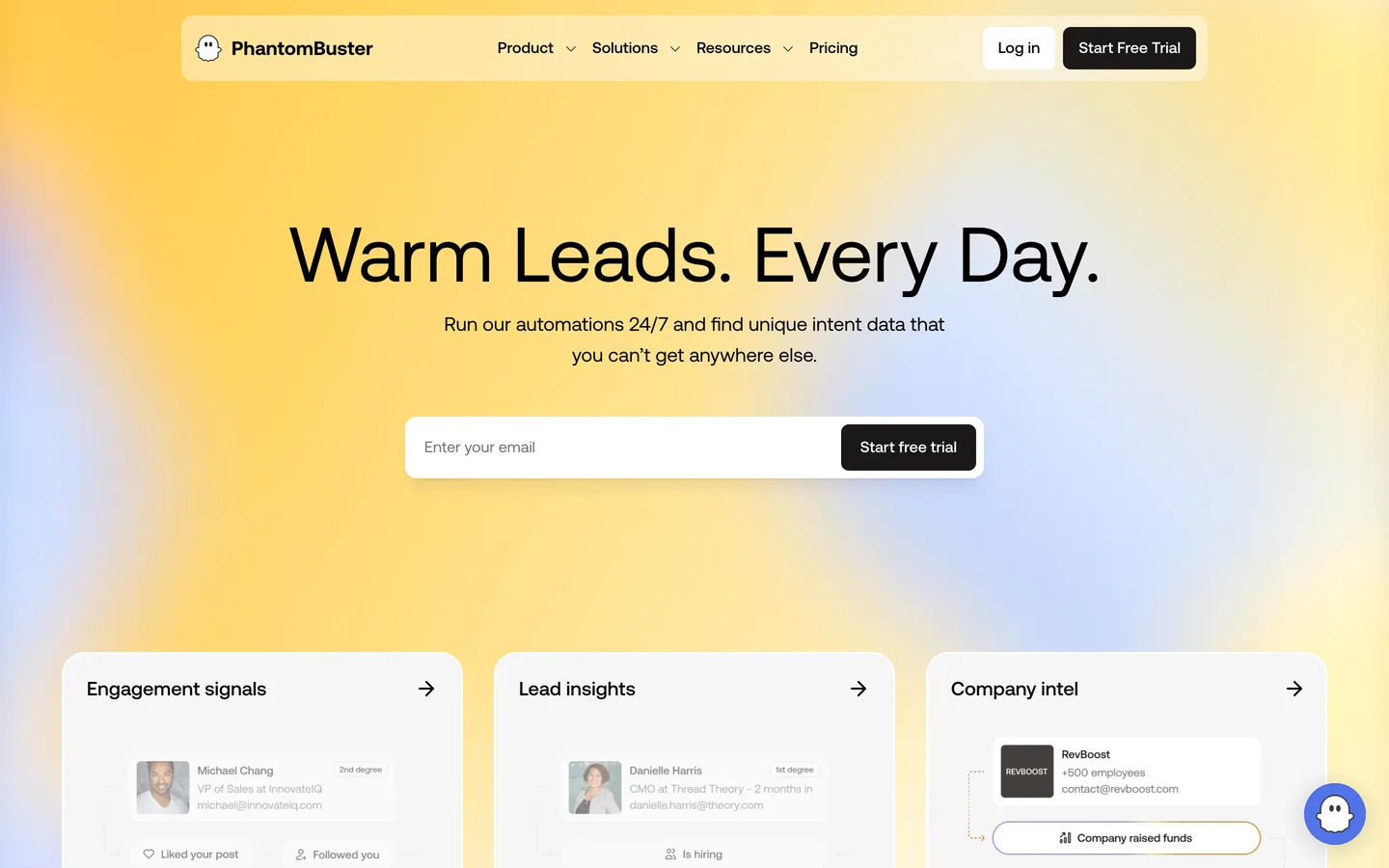
Workflows for Scraping, Messaging, and More
Sales teams and marketing specialists use Phantombuster for tasks like gathering contact data, collecting posts or profile details, and sending automated messages or connection requests on LinkedIn. The platform offers a library of ready-made "Phantoms", single-purpose automation bots, that users mix and match to build custom sequences. For example, a common workflow might scrape a search of decision-makers, export connection details, then trigger fully automated, scheduled outreach and follow-up messaging at set intervals.
- Automated LinkedIn profile scraping for market research and list building
- Bulk, scheduled sending of messages or invites
- Data extraction for connecting LinkedIn insights with other sales and CRM tools
- Cloud-based, so your campaigns and data stay active at all times
While largely aimed at tech-savvy teams or those comfortable customizing workflows, Phantombuster also supports simpler use cases with prebuilt templates that minimize setup time. This enables fast prototyping and scaling, especially if your B2B outreach strategies frequently change or require integrating LinkedIn steps into broader automation stacks.
For advanced users looking to link LinkedIn prospecting with deeper data pipelines or other outreach channels, Phantombuster's flexibility meets the need without coding from scratch. You can explore prebuilt automation recipes and start a trial at phantombuster.com.
What's the best LinkedIn automation tool in 2026?
The best LinkedIn automation tool in 2026 is Overloop for B2B outbound teams that want LinkedIn + email + AI lead gen in one cloud-based platform, at $69 Starter / $99 Growth. For agencies running 10+ LinkedIn accounts, Heyreach ($79/account/mo) wins. For LinkedIn-only single-account cloud work, Expandi ($99/mo) stays solid. The ranking depends on three questions: how many LinkedIn accounts you run, whether you need email in the same workflow, and whether you trust a Chrome extension with your account.
Is LinkedIn automation safe in 2026?
LinkedIn automation is safe in 2026 if you respect three rules: stay under 80-100 invites/week per account, use cloud-based tools with dedicated residential proxies (not Chrome extensions), and warm new accounts for 30 days before scaling. LinkedIn's 2026 detection looks at velocity, fingerprint, and message similarity. Cloud tools like Overloop, Heyreach, and Expandi survive 4x longer than Chrome extensions like Waalaxy or Dux-Soup because they hide your real IP and randomize timing. Multi-account stacking (3-4 accounts per operator) is the safest way to scale volume without crossing the per-account threshold.
How to choose the right LinkedIn automation tool for your team?
Choosing the right LinkedIn automation tool comes down to matching your workflow, team size, and outreach strategy with features that provide control and safety. Avoiding account restrictions and ensuring compliance should be a top concern. Look for tools with customizable daily action limits, randomization for connection requests and messaging, and automated account warm-ups. These features keep LinkedIn use indistinguishable from human activity, protecting your campaigns and investment over time.
Integration With Existing Systems
For growing teams, easy integration with existing CRMs and sales tech makes a big difference. Seamless sync between your automation platform and databases like Salesforce or HubSpot prevents missed follow-ups and lost prospect data. Consider whether you need a solution that auto-updates opportunities, logs outreach, or enriches data for each lead within your primary tools. Options like Overloop streamline this by directly linking outbound activities to leading CRM workflows and communication apps. You can read more about how teams benefit from Overloop integrations in real-world success stories.
Usability and Flexibility
You will move faster with platforms that balance power with simplicity. An intuitive interface speeds up onboarding so new users can set up campaigns, adjust messaging, or experiment with A/B tests with little training. Some tools also help build campaigns visually or use prebuilt templates, reducing setup time and support requests. If your team manages high volumes or multiple channels, choose solutions that allow LinkedIn, email, and even phone outreach within a single dashboard to minimize manual switching.
- Account safety features to prevent platform restrictions
- Direct CRM integrations for data consistency
- Clear workflows and onboarding support
- Multi-channel automation if your outreach covers more than LinkedIn
If you run multi-language campaigns or require ultra-personalized messaging, tools with integrated AI assistance like Overloop can automatically adapt outreach, saving more time while improving response rates. Always choose based on your team's actual communication flow, expected outreach scale, and the importance of analytics or customization in your sales process.
Once you’ve picked a platform, the next step is turning features into a repeatable process your team can run every week. This outreach strategy breaks down the exact approach to follow.
Ready for LinkedIn outreach that actually works?
Book a demo and we'll show you a safe, multichannel cadence on your ICP.
Start with Overloop →See a demoConclusion: Unlock Greater Results With LinkedIn Automation
Across every stage of B2B outreach, automation tools create more opportunities for engagement while removing repetitive manual tasks. Personalization powered by AI, integrated workflow management, and actionable analytics make it possible for teams to connect with the right prospects at the right time, even as market competition grows. These solutions also protect users from common risks, such as missed connections or fragmented prospect data, that slow down sales performance.
Keep Improving Your LinkedIn Outreach
Each tool on this list supports a different approach, from basic task automation for smaller teams to comprehensive multi-channel platforms for enterprises. Choosing the right fit helps your team scale outreach efforts, keep messaging relevant, and respond faster to market shifts. By running regular A/B tests, monitoring campaign reports, and switching up your strategies as necessary, you ensure every outbound initiative improves over time.
- Monitor analytics to adjust your campaigns and channels for higher ROI
- Balance automated sequences with genuine human follow-ups
- Always review security, compliance, and integration features as your stack evolves
For B2B teams that want to ship a LinkedIn outbound stack in 2026 without juggling four tools, Overloop ($69 Starter / $99 Growth) is the shortest path: AI lead gen on 450M contacts, multi-account LinkedIn without Chrome extensions, native email + LinkedIn sequences, privacy documentation available. Try Overloop's LinkedIn automation free with a 14-day trial, no credit card. For a broader read on outbound, visit the Overloop blog.
Frequently asked questions
What is the best LinkedIn automation tool in 2026?
The best LinkedIn automation tool in 2026 is Overloop for B2B outbound teams. It combines multi-account LinkedIn automation, AI lead gen on a 450M-contact database, native email + LinkedIn sequences, and documented data-processing terms at $69 Starter / $99 Growth. Heyreach is the better pick for agencies running 10+ accounts. Expandi works for single-account cloud-only setups. Skip Chrome extensions like Waalaxy and Dux-Soup if you plan to scale past 50 invites/week per account.
Is LinkedIn automation legal?
LinkedIn automation is legal under most jurisdictions but violates LinkedIn's terms of service if it scrapes data or sends mass connections without rate limits. Cloud-based tools that respect the 80-100 invites/week per-account cap and use dedicated residential proxies operate in a gray zone that LinkedIn rarely enforces against. Hard scraping or bulk InMail spam still gets accounts permanently banned. GDPR adds a layer: review each tool's current DPA, subprocessors, and documented processing regions.
How many invites can I send per day on LinkedIn?
LinkedIn caps invites at 80-100 per week per account in 2026, which works out to 11-15 per day. Sales Navigator accounts get marginally higher limits but the cap is enforced at the weekly level. New accounts should warm up at 5-10 invites/day for the first 30 days before scaling. To go beyond 80/week, stack 3-4 LinkedIn accounts on one operator using a multi-account tool like Overloop or Heyreach. Tools with built-in throttling automatically respect these limits.
Cloud vs Chrome extension LinkedIn automation: which is safer?
Cloud-based LinkedIn automation is safer. Cloud tools (Overloop, Heyreach, Expandi) run on remote servers with dedicated residential proxies, randomized timing, and a stable fingerprint per account. Chrome extensions (Waalaxy, Dux-Soup, Octopus CRM) use your laptop's IP, your browser fingerprint, and depend on your machine staying online. In practice, cloud-based tools survive about 4x longer than Chrome extensions before LinkedIn flags the account. Past 50 invites/week per account, cloud is the only safe path.
Does LinkedIn detect automation tools?
Yes, LinkedIn's 2026 detection looks at velocity (sudden volume spikes), fingerprint (same browser hitting many accounts), message similarity (identical templates), and behavior patterns (no scrolling, no profile views, just connection requests). Cloud-based tools with dedicated proxies, randomized timing, profile-view warm-ups, and AI-personalized messages stay under the detection threshold. Restrictions usually start as a 24-48 hour read-only mode before escalating to permanent bans. The fastest way to get caught is using a Chrome extension at high volume on a cold account.
What's the best LinkedIn automation for agencies and multi-account use?
For agencies running 10+ LinkedIn accounts, Heyreach ($79/mo per account, unlimited accounts on agency plans) is purpose-built for the use case. For agencies that also want AI lead gen and email in the same workflow, Overloop ($69 Starter / $99 Growth) supports unlimited LinkedIn accounts per workspace with dedicated proxies, no Chrome extension required. Expandi offers an Agency add-on but lacks email side. Avoid any Chrome-based tool for multi-account work, the fingerprint overlap gets accounts flagged within weeks.
What's the best LinkedIn automation tool for free?
For free, LinkedRadar and the free tier of Waalaxy let you test LinkedIn automation with limited daily invites. Both are Chrome extensions, so usable only for low-volume work (20-30 invites/week per account). Snov.io also offers a free tier covering email + light LinkedIn. None of the free options support multi-account or AI lead gen, and none are safe past the trial phase. Budget $69-99/mo if you want a serious outbound stack.
Which LinkedIn automation tools integrate with Sales Navigator?
Overloop, Heyreach, Expandi, Dripify, Linked Helper, and Waalaxy all integrate with LinkedIn Sales Navigator. You can pull Sales Navigator search results directly into campaigns and benefit from the higher invite limits Sales Navigator accounts get. Overloop adds an extra layer: it cross-references Sales Navigator results against its 450M-contact database to enrich missing emails and phone numbers, so you can run multi-channel sequences from a single Sales Navigator list. Phantombuster supports Sales Navigator scraping for technical teams.
Can I run LinkedIn automation alongside cold email?
Yes, and you should. Multi-channel sequences (LinkedIn connect, then email, then LinkedIn message, then email follow-up) get 2-3x the reply rates of single-channel campaigns. Tools like Overloop and La Growth Machine orchestrate both channels in one workflow with shared analytics. Avoid running them as separate campaigns: the prospect ends up double-touched at the wrong moments. The right pattern is one sequence, branching on prospect behavior across both channels.
How much does LinkedIn automation cost in 2026?
Entry-level Chrome-extension tools start around $10-15/mo (Octopus CRM, Dux-Soup, Linked Helper). Cloud-based single-account tools run $59-99/mo (Dripify, Expandi). Cloud-based platforms with AI lead gen and email run $69-99/mo for Overloop, $79+/mo per account for Heyreach. Enterprise platforms hit $200-400/seat. Most agency plans price per LinkedIn account, not per user, so factor that in. Real all-in cost for a serious B2B outbound stack: $100-150/mo per operator.
Methodology & sources6 sources
How this edition was evaluated
For this edition, we reviewed the product criteria and sources discussed on the page. Use the article date and linked primary sources to verify current details.
- Product scope: current vendor documentation and the capabilities relevant to this edition.
- Available access: public pages, trial behavior, or hands-on access only where the article identifies it.
- Deliverability claims: vendor-reported figures kept separate from cited independent evidence.
- Pricing snapshot: public prices and disclosed add-ons tied to the article date.
- Privacy review: DPA, subprocessors, processing regions, and safeguards where documentation is available.
- Editorial fit: recommendations labeled as judgment, with Overloop ownership disclosed.
Read the methodology for this edition, and check the article date plus linked primary sources before relying on current pricing or product details.