


To find someone's work phone number, check your CRM and inbox first, then their LinkedIn contact info, the company website and any email signature. If those fail, run their name, company and LinkedIn URL through a B2B phone number finder that checks several sources and charges only when it finds a number. Verify the number and the calling rules before you dial.
Finding a business contact's phone number is rarely one search. The number usually sits in one of 6 places: your own CRM, a LinkedIn profile, the company website, an email signature, a directory, or a data provider's database. This guide works through them in order, from free and slow to paid and fast, then covers how to check the number and the rules for calling it. It is written for B2B sales and recruiting, meaning a professional contacted about their work. It does not cover finding a private individual's personal number, and you should not use these methods for that.
Publisher disclosure: Overloop publishes this guide and sells a phone number finder. We describe the free methods first because they often work, and we name the paid tools we compare with their prices read on September 28, 2026. This is general information, not legal advice.
The method in 6 lines
- Start with data you already own: CRM records, past email threads and signatures cost nothing.
- LinkedIn shows a phone number only when the member added one and chose to share it with you.
- A switchboard number is a valid fallback: ask for the person by name.
- Paid finders charge per number: from about $0.16 to $0.65 on the self-serve plans we read on September 28, 2026.
- A waterfall, several sources queried one after another, finds more numbers than a single database.
- Verify and check the rules before dialing: format, line type, lawful basis and do-not-call lists.
Before you start: the 4 details that make any search work
Every method below works better with the same inputs. Collect them first:
- Full name, spelled as the person spells it on LinkedIn.
- Current company, and its website domain, for example acme.com.
- LinkedIn profile URL, the most reliable join key for data tools.
- Country, which decides the phone format and the calling rules.
If you only have an email address, a reverse email lookup gets you the name, role and company first.
Step 1: Check what you already have
Search your CRM for the person and for colleagues at the same company; a shared switchboard or a direct-dial pattern often shows up there. Search your inbox for the person's name and domain. Past threads, meeting invites and signatures are the most accurate source you will find, because the person gave you the number. Cost: zero. Time: 2 minutes.
Step 2: Look at the LinkedIn contact info
On the profile, open Contact info under the name. Members can add a phone number there and control who sees it, so it usually appears only to 1st-degree connections, and only if the member added it at all. Many do not. While you are on the profile, note the exact job title and company page: you will need both for the next steps. If you are not connected, a short connection request with a reason is a better next move than a cold call.
Step 3: Search the company website
Small and mid-size companies often publish direct lines on team, contact and office pages. Press releases list a media contact with a phone number, and event pages list speakers with company details. Search Google for site:acme.com "Jane Doe" and site:acme.com phone. If nothing names the person, take the switchboard number: calling reception and asking for someone by name and role is slower than a direct dial, and it works.
Step 4: Get it from an email signature
Many professionals put a direct line or mobile in their signature. Send a short, relevant email first; if you need the address, our guide on how to find someone's email address covers the options. A reply, or even an out-of-office auto-reply, often carries the signature. This is also the least intrusive route: the person chose to share that number with people who write to them.
Step 5: Check public business directories
For owner-run businesses, business listings such as a Google Business Profile often give a number that reaches the owner. Industry associations publish member directories, and conference sites list speakers. Company registries usually give a registered office address rather than a person's phone, so treat them as a way to confirm the company, not the contact. Avoid consumer people-search sites: they are built around private individuals, their data is often out of date, and using it for sales calls is where most compliance trouble starts.
Step 6: Use a B2B phone number finder
When the free methods fail, a phone number finder searches a database, or several, with the name, company and LinkedIn URL you collected. There are 2 kinds. A single-database tool returns what its own database holds. A waterfall tool queries several providers one after another and stops at the first match, which usually finds more numbers because each provider's coverage has gaps. Our waterfall enrichment guide shows the math.
Phone finder prices: Overloop, Apollo, RocketReach, Lusha, Kaspr and FullEnrich
What one number costs on the self-serve plans we read on September 28, 2026, if every credit goes to phones:
| Tool | Plan used | Cost per phone number | Charged when nothing is found? |
|---|---|---|---|
| Overloop | Starter or Growth, $69 or $99 per user per month | 5 credits, only on a match (see pricing) | No phone-search credits used |
| Apollo.io | Basic, $588 a year | About $0.16 (8 credits per number) | Not stated on the pricing page |
| RocketReach | Pro, $619 a year | About $0.17 per exported contact, unlimited lookups | Monthly lookups refunded if no verified email or phone |
| Lusha | Starter, $449.40 a year | About $0.47 (5 credits per number) | Credits are deducted per data point revealed; bulk reveals charge every selected contact (help center) |
| Kaspr | Starter, $588 a year or $65 a month | About $0.49 annual, $0.65 monthly | In bulk workflows, only with the "Phone numbers Required" setting on (help center) |
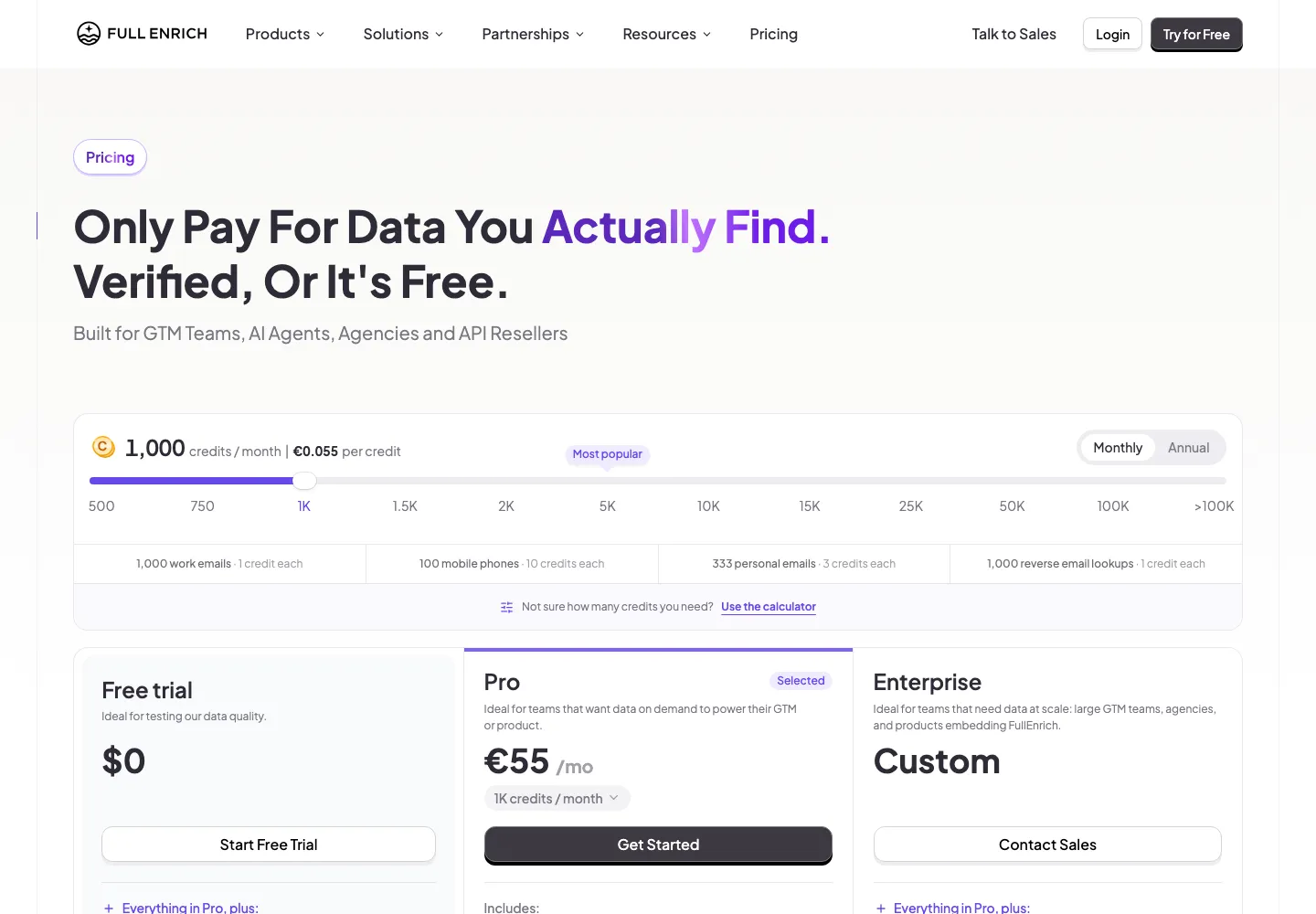
| FullEnrich | Pro, $55 a month for 1,000 credits | About $0.55 (10 credits per mobile) | No, pay only for data found |
Read on each vendor's pricing page on September 28, 2026: Apollo, RocketReach, Lusha, Kaspr, FullEnrich. Annual prices require an annual commitment. For 11 tools side by side, see our ZoomInfo competitors guide, and for one vendor in depth, RocketReach pricing.
Overloop runs this step inside the prospect list you are already working on. You click Find phone on one prospect or a whole list, Overloop checks several phone data sources in turn and stops at the first match, and the number is saved on the prospect record. A number found costs 5 credits; a search with no result costs no phone-search credits. The number is then available for a call task or an export, next to the email and LinkedIn sequence for the same person. The phone number finder page shows the flow. Overloop has no built-in dialer, and we do not publish a match rate, because a rate measured on our lists would not predict yours.
The quickest way to judge any finder, Overloop included, is a list you can check. Create an Overloop account, import 20 contacts whose numbers you already know, click Find phone on the list and count the correct numbers. Only numbers found use credits.
Step 7: Verify the number before you call
A number from any source can be stale. Before it goes into a call list:
- Normalise the format. Store it in international E.164 format, a plus sign, country code and number, for example +44 20 7946 0000. It prevents misdials and duplicate records.
- Check the country code against the person's location. A number from another country is often an old job or a personal line.
- Check the line type. A phone validation or carrier lookup service tells you whether it is a mobile, a landline or a VoIP line, and whether it is active.
- Confirm on the first call. Ask for the person by name before you pitch. If it is the wrong person, delete the number from your CRM the same day.
- Record the source and date. You will need both if someone asks where you got their number.
Step 8: Check the rules before you dial
Business phone numbers of named people are personal data in the EU and UK, and cold calling has its own rules in most countries. The basics:
- EU and UK, GDPR. B2B calls are usually based on legitimate interest. Write down a short assessment of why the call is relevant to the person's job. Under Article 14 you must give your privacy information at the latest at the first communication, and under Article 21 the person can object to direct marketing at any time; keep a suppression list and honour it across tools.
- National calling rules. Some countries add stricter rules. Germany's unfair competition law requires at least presumed consent for sales calls to businesses. In the UK, screen numbers against the Telephone Preference Service and the Corporate TPS before a marketing call.
- United States. The national Do Not Call rules largely exempt business-to-business calls, but the TCPA still restricts autodialed or prerecorded calls and texts to mobile numbers without prior express consent, and several states add their own rules. Dial manually unless you have consent.
- Your data provider. Ask where its phone data comes from and how it handles opt-outs. A vendor that cannot answer is a risk you inherit.
When in doubt, check with your legal counsel or your country's data protection authority.
Which method to use when
| Method | What it usually finds | Cost | Best when |
|---|---|---|---|
| CRM and inbox | Numbers the person gave you | Free | You have met or emailed before |
| LinkedIn contact info | A mobile, if shared with connections | Free | You are a 1st-degree connection |
| Company website | Direct lines at small firms, switchboards | Free | Small and mid-size companies |
| Email signature | Direct line or mobile | Free, takes a reply | You have a reason to email first |
| Business directories | Owner or office numbers | Free | Owner-run businesses |
| Phone number finder | Mobiles and direct dials at scale | About $0.16 to $0.65 per number on the plans above | You need more than a handful of numbers |
Frequently asked questions
How can I find someone's phone number for free?
Check your CRM and inbox, then the person's LinkedIn contact info, the company website and any email signature you have. Owner-run businesses often list a number on their business profile, and associations publish member directories. Free methods work best for a handful of contacts; for a list, a paid finder is faster.
Can I find someone's phone number on LinkedIn?
Sometimes. Open Contact info on the profile. A number appears only if the member added one and chose to share it with you, which usually means you are a 1st-degree connection. B2B phone number finders can also take a LinkedIn profile URL as input and search their sources for a matching number.
What is the best tool to find a business phone number?
It depends on volume and workflow. On the plans we read on September 28, 2026, Apollo had the lowest published cost per number at about $0.16 on annual billing. FullEnrich runs a waterfall and charges only for data found. Overloop checks several sources in turn, charges 5 credits only when a number is found and keeps the number next to your email and LinkedIn sequence.
How do I find a phone number from a name and company?
Search the company website for the name, then Google the name with the company domain, then check LinkedIn. If nothing turns up, enter the name, company and domain in a B2B phone number finder. The more exact the inputs, the better the match, so add the LinkedIn URL if you have it.
Can you look up someone's phone number on Google?
Yes, for business numbers. Search the name in quotes with the company, or site:acme.com "Jane Doe". Google surfaces numbers published on company pages, press releases, event pages and business profiles. It rarely shows a personal mobile, and results from consumer people-search sites are often out of date and a poor basis for a sales call.
How do I verify that a phone number is correct?
Store it in international E.164 format, check that the country code matches where the person works, and run it through a phone validation service to see whether it is an active mobile, landline or VoIP line. Then confirm it on the first call by asking for the person by name, and delete it if it belongs to someone else.
Is it legal to cold call a business mobile number?
Often yes, with conditions that depend on the country. In the EU and UK you need a lawful basis such as legitimate interest, you must honour objections, and some countries such as Germany and the UK add calling rules. In the US, the TCPA restricts autodialed or prerecorded calls and texts to mobiles without consent. This is general information, not legal advice.
Bottom line
Most work phone numbers can be found in under 10 minutes if you work in order: what you already have, LinkedIn, the company website, an email signature, a directory, and only then a paid finder. Pay per number found rather than per search where you can, verify before you dial, and keep a record of where each number came from.
If you are finding numbers for a list rather than one person, Overloop runs the waterfall search on the whole list and keeps each number on the prospect record next to the email and LinkedIn sequence. See the phone number finder and Overloop's plans.